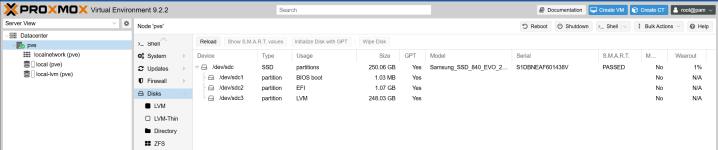
Did a new install of 9.2.2 as a test / learning session today, but stuck trying to add 2 x HD sda & sdb ... PVE is on sdc
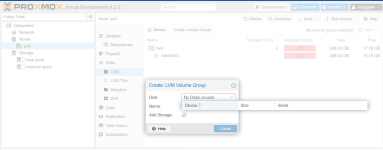
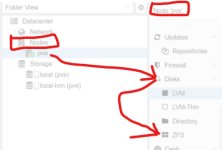
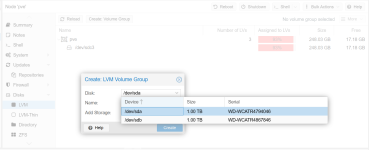
I think I'm in the correct menu to add the drives, but none listed in the pull down (see attached)
Looked up some linux commands to check on HD's ... this appears show they exist
So how do I create a zfs raid to create my test enviroments ?
root@pve:~# lsblk
NAME MAJ:MIN RM SIZE RO TYPE MOUNTPOINTS
sda 8:0 0 931.5G 0 disk <<<<<<<<<<<<<<<<<<<<<
sdb 8:16 0 931.5G 0 disk <<<<<<<<<<<<<<<<<<<<<
sdc 8:32 0 232.9G 0 disk
├─sdc1 8:33 0 1007K 0 part
├─sdc2 8:34 0 1G 0 part
└─sdc3 8:35 0 231G 0 part
├─pve-swap 252:0 0 8G 0 lvm [SWAP]
├─pve-root 252:1 0 67.7G 0 lvm /
├─pve-data_tmeta 252:2 0 1.4G 0 lvm
│ └─pve-data 252:4 0 136.5G 0 lvm
└─pve-data_tdata 252:3 0 136.5G 0 lvm
└─pve-data 252:4 0 136.5G 0 lvm
I think I'm in the correct menu to add the drives, but none listed in the pull down (see attached)
Looked up some linux commands to check on HD's ... this appears show they exist
So how do I create a zfs raid to create my test enviroments ?
root@pve:~# lsblk
NAME MAJ:MIN RM SIZE RO TYPE MOUNTPOINTS
sda 8:0 0 931.5G 0 disk <<<<<<<<<<<<<<<<<<<<<
sdb 8:16 0 931.5G 0 disk <<<<<<<<<<<<<<<<<<<<<
sdc 8:32 0 232.9G 0 disk
├─sdc1 8:33 0 1007K 0 part
├─sdc2 8:34 0 1G 0 part
└─sdc3 8:35 0 231G 0 part
├─pve-swap 252:0 0 8G 0 lvm [SWAP]
├─pve-root 252:1 0 67.7G 0 lvm /
├─pve-data_tmeta 252:2 0 1.4G 0 lvm
│ └─pve-data 252:4 0 136.5G 0 lvm
└─pve-data_tdata 252:3 0 136.5G 0 lvm
└─pve-data 252:4 0 136.5G 0 lvm