

It was working for the past 1–2 years with 3 Windows 11 VMs and 1 Ubuntu machine running Tailscale. I was using the Ubuntu VM as a gateway to avoid installing Tailscale on each Windows VM individually. IP forwarding and routing were configured on Ubuntu, and everything was working fine up until this point.
About a week ago, I wanted to add another Windows 11 VM and isolate it from the local LAN (no access to other devices, no ping), so I planned to create a separate network using a Class A IP range. The idea was to connect this new network to the Ubuntu VM and handle routing + Tailscale there, while installing Tailscale directly on that new Windows VM.
So I went into Proxmox and:
About a week ago, I wanted to add another Windows 11 VM and isolate it from the local LAN (no access to other devices, no ping), so I planned to create a separate network using a Class A IP range. The idea was to connect this new network to the Ubuntu VM and handle routing + Tailscale there, while installing Tailscale directly on that new Windows VM.
So I went into Proxmox and:
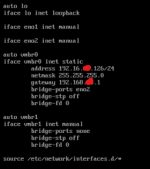
- Created a new bridge vmbr1
- Did not assign an IP or gateway to vmbr1
- Planned to handle addressing and routing inside Ubuntu
Current situation:
- I can access Proxmox via iDRAC/console
- From the Proxmox host, I cannot ping the default gateway
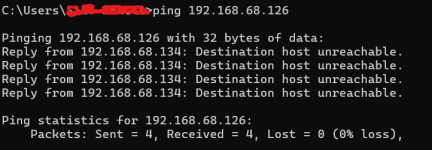
- From other machines, pinging the Proxmox host returns: Destination Host Unreachable
- However, all VMs inside Proxmox are still running fine
- I can still access the VMs remotely (including Ubuntu with Tailscale)
Troubleshooting already performed:
I have already verified and tested the following:- Checked interfaces
ip a
ip link show - Checked routing
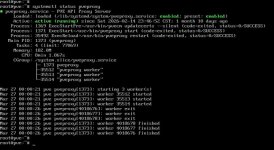
ip route - Checked Proxmox web service
systemctl status pveproxy - Checked port 8006
ss -tulnp | grep 8006 - Tested GUI locally
curl -k https://127.0.0.1:8006 - Tested connectivity
ping 192.168.x.x → no response
ping 192.168.x.x from another machine → Destination Host Unreachable - Checked ARP table
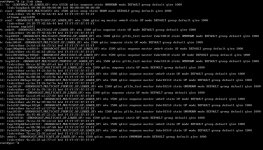
arp -n
ip neigh - Flushed ARP
ip neigh flush all - Bridge + NIC reset
ip link set vmbr0 down
ip link set eno2 down
sleep 02
ip link set eno2 up
ip link set vmbr0 up - Reloaded network config
ifreload -a - Restarted networking
systemctl restart networking - Full interface reset
ifdown vmbr0
ifdown eno2
ifup eno2
ifup vmbr0 - Tried adding default route manually
ip route add default via 192.168.x.x dev vmbr0 - Restarted SSH
systemctl restart ssh
systemctl enable ssh - Rebooted system
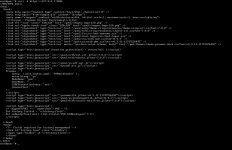
- Reviewed /etc/network/interfaces
- Physical Removed NIC from Port re-add after 30seconds
What I suspect:
At this point, I believe the issue might be related to Layer 2 (bridge / MAC / switch / ARP behavior), possibly triggered after introducing vmbr1.Questions:
- Could adding vmbr1 (even without IP/gateway) disrupt vmbr0 at Layer 2?
- Is it possible the physical NIC lost proper bridge association even if config looks correct?
- Could this be a MAC/ARP issue on the upstream router or switch?
- Should I temporarily remove/comment out vmbr1 to test recovery?
- What is the recommended way to isolate a VM on a separate subnet while routing through another VM (Ubuntu in this case)?
- Could this be related to firewall rules (Proxmox host, bridge firewall, or external network)?
- Are there specific logs (system logs, networking logs, or Proxmox logs) I should check to identify what broke after applying the bridge configuration?
Additional info:
- vmbr0 → 192.168.x.0/24
- Ubuntu VM handles Tailscale + routing
- Planned new subnet → 10.0.0.0/24 via vmbr1



 .
.