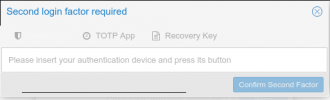
Locked out of Proxmox because I disabled TFA (instead of removing TFA)

andrasmining

New Member
Jan 21, 2022
9
0
1
35
As a solution I found this: https://forum.proxmox.com/threads/locked-out-proxmox-gui-because-of-totp-2fa-solved.110155/
but I am the unlucky one:
- no cluster
- no SSH access

My server runs for almost 2 years now without problems, and this tiny change makes me to reinstall????? (becauase I just wanted to give access to someone), Please no :(
It is terrible, that only disabling TFA results into such a deadlock, WTF?

Any idea guys, would appreciate.

The only access that works is the backup server, but probably that does not really help.
 

Attachments

  • 2023-02-07_12-46-22.png
    2023-02-07_12-46-22.png
    83.8 KB · Views: 14
that only disabling TFA
and disabling ssh access. I think there's an open bug report related to lockout after TFA removal (edit: https://bugzilla.proxmox.com/show_bug.cgi?id=4349)

Anyways, I suggest you get a different access (live dvd) to the server and setup SSH or manually mount pmxcfs and remove 2fa.
E.g. mount the disk and execute
Code:
pmxcfs -l
pveum user tfa delete root@pam
 
Last edited:
  • Like
Reactions: andrasmining
Hi Matthias,

thank you for the answer, I just realized, I can reboot into a rescue system and mount the system drive to have access to the disk.
I will try what you mentioned, but can you please explain a bit what
Code:
pmxcfs -l
is doing? I don't have a cluster, only 1 node.
The second part I understand. Many thanks!
 
It will mount the /etc/pve file system.
 
It will mount the /etc/pve file system.

I probably need to mount my system drive (where pve is installed) before that, right?
Code:
mount /dev/mapper/vg0-root /mnt
chroot-prepare /mnt
chroot /mnt

or I can mount pve immediately from the rescue system with?
Code:
pmxcfs -l

Sorry for asking this, but would like to be prepared to reduce downtime, thank you!
 
Thanks again for the helps guys, here again what I did
Booted in rescue mode
Code:
mount /dev/mapper/vg0-root /mnt
chroot-prepare /mnt (was not needed)
chroot /mnt
Checked
Code:
hostname
command and added it to /etc/hosts file
my result was not what I have in /etc/hostname, but "rescue"... added this "rescue" into my /etc/hosts file
Code:
<ipaddress> <domain> rescue
After that
Code:
pmxcfs -l
worked and could remove TFA with
Code:
pveum user tfa delete root@pam
Cheers!