Konsole > Flicker

Quickly

Renowned Member
Sep 16, 2012
107
8
83
Hi again.

I have:
Proxmox 2.1.1/f9b0f63a
Win 7-64 / Firefox 15.1
Java 7 U7

I have some Guest´s with Linux. If i open the Konsole the picture flicker and all objekts (Browser, etc.) goes to the buttom, out auf the range.
Guest:
Ubuntu 10.4 Gnome > Install as Guest in Proxmox
Zentyal > Install as Guest in Proxmox
Rescuetux > LifeCD

SORRY for my extrem bad english. I hope you understand my question, problem.

THY

Quickly
 
make sure you run the latest version of our packages - to check:

> apt-get update && apt-get dist-upgrade

after that, provide the list of packages:

> pveversion -v
 
Hi.

Ok. The upgrade is done. But the same Error again.

Code:
root@proxmox:~# pveversion -v
pve-manager: 2.1-14 (pve-manager/2.1/f32f3f46)
running kernel: 2.6.32-11-pve
proxmox-ve-2.6.32: 2.1-74
pve-kernel-2.6.32-11-pve: 2.6.32-66
pve-kernel-2.6.32-14-pve: 2.6.32-74
lvm2: 2.02.95-1pve2
clvm: 2.02.95-1pve2
corosync-pve: 1.4.3-1
openais-pve: 1.1.4-2
libqb: 0.10.1-2
redhat-cluster-pve: 3.1.92-3
resource-agents-pve: 3.9.2-3
fence-agents-pve: 3.1.8-1
pve-cluster: 1.0-27
qemu-server: 2.0-49
pve-firmware: 1.0-18
libpve-common-perl: 1.0-30
libpve-access-control: 1.0-24
libpve-storage-perl: 2.0-31
vncterm: 1.0-3
vzctl: 3.0.30-2pve5
vzprocps: 2.0.11-2
vzquota: 3.0.12-3
pve-qemu-kvm: 1.1-8
ksm-control-daemon: 1.1-1

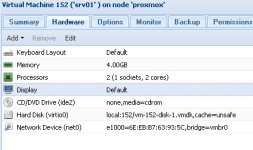
I have: Display = default.
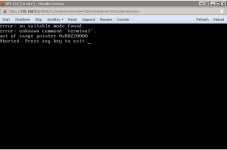
If i use Display = vga the guest will not start (zentyal).

Image 152 = Guest start, but error "flicker"

152.jpg


Image 152_vga
= Guest don´t start, start error
152_vga.jpg

THX a lot for help.

Quickly
 
Upgrade done.

Code:
root@proxmox:~# pveversion -v
pve-manager: 2.1-14 (pve-manager/2.1/f32f3f46)
running kernel: 2.6.32-14-pve
proxmox-ve-2.6.32: 2.1-74
pve-kernel-2.6.32-11-pve: 2.6.32-66
pve-kernel-2.6.32-14-pve: 2.6.32-74
lvm2: 2.02.95-1pve2
clvm: 2.02.95-1pve2
corosync-pve: 1.4.3-1
openais-pve: 1.1.4-2
libqb: 0.10.1-2
redhat-cluster-pve: 3.1.92-3
resource-agents-pve: 3.9.2-3
fence-agents-pve: 3.1.8-1
pve-cluster: 1.0-27
qemu-server: 2.0-49
pve-firmware: 1.0-18
libpve-common-perl: 1.0-30
libpve-access-control: 1.0-24
libpve-storage-perl: 2.0-31
vncterm: 1.0-3
vzctl: 3.0.30-2pve5
vzprocps: 2.0.11-2
vzquota: 3.0.12-3
pve-qemu-kvm: 1.1-8
ksm-control-daemon: 1.1-1

But the same error.
Guest = Zentyal (Ubuntu)
- Display = Default or Cirrus > Guest start, but Flicker and the Browser goes to the buttom, out of range.
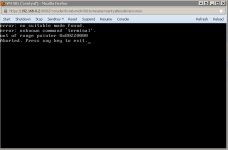
- Display = VGA or VMWare > Guest doesn´t start > Error = see attachment/grafik

proxmox_error_vga.jpg

THX

Quickly
 
Upgrade done.

Code:
root@proxmox:~# pveversion -v
pve-manager: 2.1-14 (pve-manager/2.1/f32f3f46)
running kernel: 2.6.32-14-pve
proxmox-ve-2.6.32: 2.1-74
pve-kernel-2.6.32-11-pve: 2.6.32-66
pve-kernel-2.6.32-14-pve: 2.6.32-74
lvm2: 2.02.95-1pve2
clvm: 2.02.95-1pve2
corosync-pve: 1.4.3-1
openais-pve: 1.1.4-2
libqb: 0.10.1-2
redhat-cluster-pve: 3.1.92-3
resource-agents-pve: 3.9.2-3
fence-agents-pve: 3.1.8-1
pve-cluster: 1.0-27
qemu-server: 2.0-49
pve-firmware: 1.0-18
libpve-common-perl: 1.0-30
libpve-access-control: 1.0-24
libpve-storage-perl: 2.0-31
vncterm: 1.0-3
vzctl: 3.0.30-2pve5
vzprocps: 2.0.11-2
vzquota: 3.0.12-3
pve-qemu-kvm: 1.1-8
ksm-control-daemon: 1.1-1

But the same error.
Guest = Zentyal (Ubuntu)
- Display = Default or Cirrus > Guest start, but Flicker and the Browser goes to the buttom, out of range.
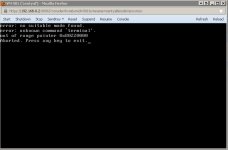
- Display = VGA or VMWare > Guest doesn´t start > Error = see attachment

proxmox_error_vga.jpg

THX

Quickly
 
A common problem in the 2.X series of Zentyal. Either remove LXDE and use Gnome or something else. The problem is cured in the 3.X series so if you are still setting up and not in production yet, I suggest you install Zentyal 3.02 instead. It does the same thing under Xen or plain vanilla KVM so I wouldn't blame Proxmox here. I am involved over on the Zentyal forums as well if you want to take it up there.
 
I should have included that if you are in production and need access to the desktop of the Zentyal machine ( I can get what I need done with ssh and the web interface) you can install X2go or similar. The screen does not flicker on this type of remote terminal.
 
Hi.
I have new Info.

The Zentyal 2.2 is > Ubuntu 10.04 LTS > there is the problem with flicker
The Zentyal 3.0 is > Ubuntu 12.04 LTS > there is NO problem with flicker

Ok, then. Habe a nice Day an THX for help.

Quickly