[SOLVED] Kernel Panic on container template download

abhi11verma

New Member
May 23, 2024
17
1
3
1716430803058.png

I am using an old HP Pavilion laptop

Ram : 8GB
Processor : i7
HDD : 1TB

Proxmox version : 8.2.2 kernel

Code:
root@prox:~#  uname -a
Linux prox 6.8.4-2-pve #1 SMP PREEMPT_DYNAMIC PMX 6.8.4-2 (2024-04-10T17:36Z) x86_64 GNU/Linux
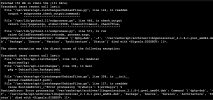
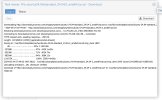
While downloading a template for ubuntu24.04/2 from GUI causes a kernel panic and system hangs.
Kernel panic on server


Using SSH to prox server and downloading also results the same issue
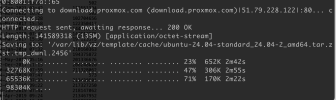
1716431899133.png
------------------------

Update : Same issue with downloading other version of ubuntu templates as well.
Will check if its the issue with another image (not ubuntu)
 
Last edited:
You are not showing the kernel panic from logs. Does download & save complete eventually?
 
Will add those(in evening), need to take a picture of it as can't take screenshot.

Extra information :
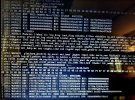
Getting kernel panic randomly also sometime while running VMs
I do have the image captured for it here https://snipboard.io/uKYCIM.jpg

> Does download & save complete eventually?
No download does not complete.
 
Try updating - there is a newer kernel available. Do so in GUI & make sure you've got repos set properly (also in GUI).
 
In GUI: Node, Updates, Repositories.

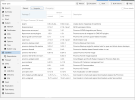
Depending whether you have a subscription or not - you need to set these correctly. If you show screenshot - can confirm whether you are getting updates for PVE correctly.
 
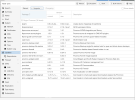
As suggested updating the repositories

1716514220193.png


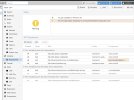
got an exception while updating


1716515423846.png
 

Attachments

  • 1716514175326.png
    1716514175326.png
    399.8 KB · Views: 2
Ran the process again and this time it finished successfully.
Will test and update if it still causing kernel panic after update from 6.8.4-2 to 6.8.4-3
 
I am able to download ubuntu 24 template successfully after update

Thanks! @gfngfn256 really appreciate the help
 

Attachments

  • Screenshot 2024-05-24 at 7.49.25 AM.jpg
    Screenshot 2024-05-24 at 7.49.25 AM.jpg
    285.6 KB · Views: 0
Glad to help. If everything is working, mark topic thread as [SOLVED] (top-right under title).