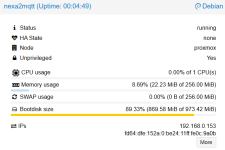
Header
Proxmox
Virtual Environment 9.1.9
Search
Node 'proxmox'

Server View
Logs
()
INFO: starting new backup job: vzdump --notification-mode notification-system --storage BackupNAS --notes-template '{{guestname}}' --mode snapshot --quiet 1 --node proxmox --fleecing 0 --prune-backups 'keep-last=3,keep-monthly=1,keep-weekly=2' --all 1 --compress zstd
INFO: filesystem type on dumpdir is 'cifs' -using /var/tmp/vzdumptmp2704184_100 for temporary files
INFO: Starting Backup of VM 100 (lxc)
INFO: Backup started at 2026-05-08 02:10:13
INFO: status = running
INFO: CT Name: nexa2mqtt
INFO: including mount point rootfs ('/') in backup
INFO: backup mode: snapshot
INFO: ionice priority: 7
INFO: create storage snapshot 'vzdump'
  Logical volume "snap_vm-100-disk-0_vzdump" created.
INFO: creating vzdump archive '/mnt/pve/BackupNAS/dump/vzdump-lxc-100-2026_05_08-02_10_04.tar.zst'
INFO: Total bytes written: 897269760 (856MiB, 124MiB/s)
INFO: archive file size: 293MB
INFO: adding notes to backup
INFO: prune older backups with retention: keep-last=3, keep-monthly=1, keep-weekly=2
INFO: removing backup 'BackupNAS:backup/vzdump-lxc-100-2026_02_22-02_10_01.tar.zst'
INFO: removing backup 'BackupNAS:backup/vzdump-lxc-100-2026_05_05-02_10_00.tar.zst'
INFO: pruned 2 backup(s) not covered by keep-retention policy
INFO: cleanup temporary 'vzdump' snapshot
  Logical volume "snap_vm-100-disk-0_vzdump" successfully removed.
INFO: Finished Backup of VM 100 (00:00:22)
INFO: Backup finished at 2026-05-08 02:10:26
INFO: filesystem type on dumpdir is 'cifs' -using /var/tmp/vzdumptmp2704184_101 for temporary files
INFO: Starting Backup of VM 101 (lxc)
INFO: Backup started at 2026-05-08 02:10:26
INFO: status = running
INFO: CT Name: jdownloader2
INFO: including mount point rootfs ('/') in backup
INFO: excluding bind mount point mp0 ('/mnt/NAS') from backup (not a volume)
INFO: backup mode: snapshot
INFO: ionice priority: 7
INFO: create storage snapshot 'vzdump'
  Logical volume "snap_vm-101-disk-0_vzdump" created.
INFO: creating vzdump archive '/mnt/pve/BackupNAS/dump/vzdump-lxc-101-2026_05_08-02_10_26.tar.zst'
INFO: Total bytes written: 1419939840 (1.4GiB, 115MiB/s)
INFO: archive file size: 433MB
INFO: adding notes to backup
INFO: prune older backups with retention: keep-last=3, keep-monthly=1, keep-weekly=2
INFO: removing backup 'BackupNAS:backup/vzdump-lxc-101-2025_12_01-03_03_33.tar.zst'
INFO: removing backup 'BackupNAS:backup/vzdump-lxc-101-2026_02_22-02_10_27.tar.zst'
INFO: removing backup 'BackupNAS:backup/vzdump-lxc-101-2026_05_05-02_10_17.tar.zst'
INFO: pruned 3 backup(s) not covered by keep-retention policy
INFO: cleanup temporary 'vzdump' snapshot
  Logical volume "snap_vm-101-disk-0_vzdump" successfully removed.
INFO: Finished Backup of VM 101 (00:00:17)
INFO: Backup finished at 2026-05-08 02:10:43
INFO: filesystem type on dumpdir is 'cifs' -using /var/tmp/vzdumptmp2704184_102 for temporary files
INFO: Starting Backup of VM 102 (lxc)
INFO: Backup started at 2026-05-08 02:10:43
INFO: status = running
INFO: CT Name: influxdb
INFO: including mount point rootfs ('/') in backup
INFO: backup mode: snapshot
INFO: ionice priority: 7
INFO: create storage snapshot 'vzdump'
  Logical volume "snap_vm-102-disk-0_vzdump" created.
INFO: creating vzdump archive '/mnt/pve/BackupNAS/dump/vzdump-lxc-102-2026_05_08-02_10_43.tar.zst'
INFO: Total bytes written: 2146754560 (2.0GiB, 172MiB/s)
INFO: archive file size: 698MB
INFO: adding notes to backup
INFO: prune older backups with retention: keep-last=3, keep-monthly=1, keep-weekly=2
INFO: removing backup 'BackupNAS:backup/vzdump-lxc-102-2025_12_01-03_08_09.tar.zst'
INFO: removing backup 'BackupNAS:backup/vzdump-lxc-102-2026_02_22-02_10_42.tar.zst'
INFO: removing backup 'BackupNAS:backup/vzdump-lxc-102-2026_05_05-02_10_37.tar.zst'
INFO: pruned 3 backup(s) not covered by keep-retention policy
INFO: cleanup temporary 'vzdump' snapshot
  Logical volume "snap_vm-102-disk-0_vzdump" successfully removed.
INFO: Finished Backup of VM 102 (00:00:20)
INFO: Backup finished at 2026-05-08 02:11:03
INFO: filesystem type on dumpdir is 'cifs' -using /var/tmp/vzdumptmp2704184_103 for temporary files
INFO: Starting Backup of VM 103 (lxc)
INFO: Backup started at 2026-05-08 02:11:03
INFO: status = running
INFO: CT Name: ioBroker8
INFO: including mount point rootfs ('/') in backup
INFO: excluding bind mount point mp0 ('/opt/iobroker/backups') from backup (not a volume)
INFO: backup mode: snapshot
INFO: ionice priority: 7
INFO: create storage snapshot 'vzdump'
  Logical volume "snap_vm-103-disk-0_vzdump" created.
INFO: creating vzdump archive '/mnt/pve/BackupNAS/dump/vzdump-lxc-103-2026_05_08-02_11_03.tar.zst'
INFO: Total bytes written: 5436846080 (5.1GiB, 136MiB/s)
INFO: archive file size: 2.33GB
INFO: adding notes to backup
INFO: prune older backups with retention: keep-last=3, keep-monthly=1, keep-weekly=2
INFO: removing backup 'BackupNAS:backup/vzdump-lxc-103-2025_12_01-03_14_30.tar.zst'
INFO: removing backup 'BackupNAS:backup/vzdump-lxc-103-2026_02_22-02_11_01.tar.zst'
INFO: removing backup 'BackupNAS:backup/vzdump-lxc-103-2026_05_05-02_10_56.tar.zst'
INFO: pruned 3 backup(s) not covered by keep-retention policy
INFO: cleanup temporary 'vzdump' snapshot
  Logical volume "snap_vm-103-disk-0_vzdump" successfully removed.
INFO: Finished Backup of VM 103 (00:00:49)
INFO: Backup finished at 2026-05-08 02:11:52
INFO: Backup job finished successfully
INFO: skipping disabled matcher 'default-matcher'
TASK OK