

Code:
auto nic1_1.10
iface nic1_1.10 inet manual

auto nic1_1.20
iface nic1_1.20 inet manual

auto nic1_1.30
iface nic1_1.30 inet manual

auto VLAN102030
iface VLAN102030 inet manual
        bridge-ports nic1_1
        bridge-stp off
        bridge-fd 0
        bridge-vlan-aware yes
        bridge-vids 10 20 30

auto VLAN10
iface VLAN10 inet manual
        bridge-ports nic1_1.10
        bridge-stp off
        bridge-fd 0

auto VLAN20
iface VLAN20 inet manual
        bridge-ports nic1_1.20
        bridge-stp off
        bridge-fd 0

auto VLAN30
iface VLAN30 inet manual
        bridge-ports nic1_1.30
        bridge-stp off
        bridge-fd 0
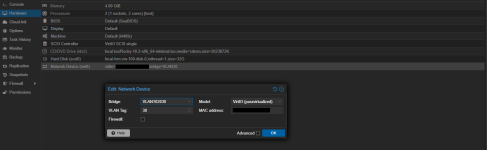
I configured the system as described above and tested two methods: specifically, creating Linux VLANs nic_1.10, nic_1.20, and nic_1.30 on nic_1, defining these Linux VLANs on the bridge ports of a Linux bridge, and configuring VMs using the Linux bridge (VLANxx); and defining a VLAN-aware bridge on nic_1 and configuring VLAN tags on the VMs.
This method of untagging on a Linux VLAN works without any problems.
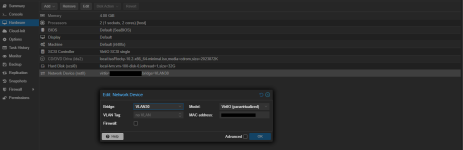
This method of untagging at the VM did not even allow communication within the same segment.
During the investigation, it was discovered that the two methods cannot be used simultaneously on a single physical NIC.
The system functioned correctly when the physical NIC designated as the bridge port for the VLAN-aware bridge was changed, or when the Linux bridge used in a Linux VLAN-based setup was removed.
This is quite strange.
Is this a bug? Or is it by design?
Last edited:

