

Good morning,
I’m running a small proxmox server (8.4.11) to host Home Assistant and Unifi OS Server. It’s been a great foundation for learning and has potential for expansion.
My concern now is how to backup the VMs etc. I want to use a removeable USB drive and backup manually whenever I’m about to make changes.
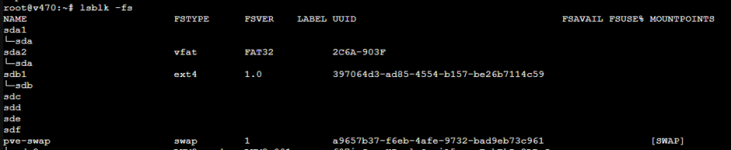
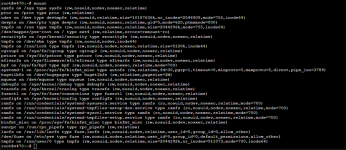
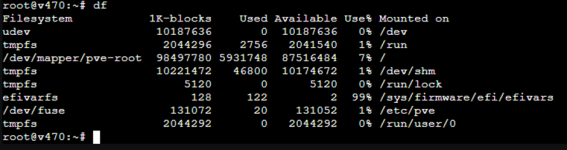
I’ve set up a Directory based storage area called proxback on a 2TB USB drive. Having done some backups, I now want to dismount the drive until the next backup, so that it is air-gapped and less likely to be damaged by me accidentally moving it. But I can’t use umount and eject because the drive is not shown as mounted. It seems that the drive only has a UUID identity.
I don’t understand how to safely remove it from the proxmox server so that in say, a month’s time, I can reconnect it and do another backup.
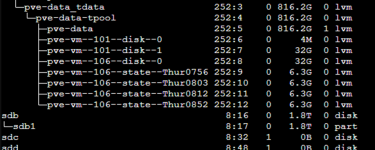
USB drive is showing as /dev/sdb and /dev/sdb1:

LSBLK output:
LSBLK -fs
Mount output:
DF output:
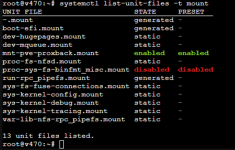
systemctl list-unit-files -t mount output:
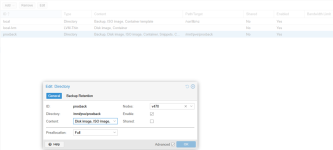
Storage area config:
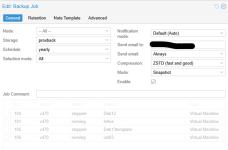
Backup config:
So now you’ve seen what I’ve done, some questions:
Ian
I’m running a small proxmox server (8.4.11) to host Home Assistant and Unifi OS Server. It’s been a great foundation for learning and has potential for expansion.
My concern now is how to backup the VMs etc. I want to use a removeable USB drive and backup manually whenever I’m about to make changes.
I’ve set up a Directory based storage area called proxback on a 2TB USB drive. Having done some backups, I now want to dismount the drive until the next backup, so that it is air-gapped and less likely to be damaged by me accidentally moving it. But I can’t use umount and eject because the drive is not shown as mounted. It seems that the drive only has a UUID identity.
I don’t understand how to safely remove it from the proxmox server so that in say, a month’s time, I can reconnect it and do another backup.
USB drive is showing as /dev/sdb and /dev/sdb1:
LSBLK output:
LSBLK -fs
Mount output:
DF output:
systemctl list-unit-files -t mount output:
Storage area config:
Backup config:
So now you’ve seen what I’ve done, some questions:
- Was using a Directory storage area the right way to set up a USB device that is to be removed? If not, what should I have done? I am happy to nuke the disk and start again!
- If the approach is OK, how can I safely dismount the USb drive for storage? And how do I then remount it when I next want to do another backup?
Ian


