

Fresh Install: Unable to find LVM root

alatteri

Renowned Member
Hi,

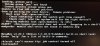
I'm doing a fresh install of 4.1 on an HP z620. I cleaned the drive prior to install with Gparted Live. Install goes fine but on reboot I get the error: Volume group "pve" not found.

I've done plenty of Proxmox installs on other hardware no problem, first time on this machine model.

See attached photo.
 

Attachments

  • IMG_0374.JPG
    IMG_0374.JPG
    493.7 KB · Views: 40
Hi
Can you try

vgchange -ay
exit

from the rescue shell ?
 
We're seeing this issue as well on a fresh 4.2 install. Anyone know of a permanent fix

pveversion -v
proxmox-ve: 4.2-48 (running kernel: 4.4.6-1-pve)
pve-manager: 4.2-2 (running version: 4.2-2/725d76f0)
pve-kernel-4.4.6-1-pve: 4.4.6-48
lvm2: 2.02.116-pve2
corosync-pve: 2.3.5-2
libqb0: 1.0-1
pve-cluster: 4.0-39
qemu-server: 4.0-72
pve-firmware: 1.1-8
libpve-common-perl: 4.0-59
libpve-access-control: 4.0-16
libpve-storage-perl: 4.0-50
pve-libspice-server1: 0.12.5-2
vncterm: 1.2-1
pve-qemu-kvm: 2.5-14
pve-container: 1.0-62
pve-firewall: 2.0-25
pve-ha-manager: 1.0-28
ksm-control-daemon: 1.2-1
glusterfs-client: 3.5.2-2+deb8u1
lxc-pve: 1.1.5-7
lxcfs: 2.0.0-pve2
cgmanager: 0.39-pve1
criu: 1.6.0-1
zfsutils: 0.6.5-pve9~jessie
 
FYI I tried appending rootdelay=10 to /etc/default/grub, and the problem continued. I then changed rootdelay=10 to rootdelay=30 still with no luck. I ran update-grub after each change.

Should that string go in a different file?
 
Hi
Can you try

vgchange -ay
exit

from the rescue shell ?

it should then finish the boot.

( temporary fix )

after that that can you post the output of /proc/cmdline ?
 
just to make sure - you added it to GRUB_CMDLINE_LINUX_DEFAULT and not as a separate line? i.e., it should end up in the generated linux kernel boot parameters in /boot/grub/grub.cfg
 
Thank you very much. I added the root delay to the GRUB_CMDLINE and now it works correctly. For anyone else who experiences the issue, here's the full line:
GRUB_CMDLINE_LINUX_DEFAULT="quiet rootdelay=10"

Here's the output of /proc/cmdline:
# cat /proc/cmdline
BOOT_IMAGE=/boot/vmlinuz-4.4.6-1-pve root=/dev/mapper/pve-root ro quiet rootdelay=10

Also if if helps with troubleshooting.... We install three servers with Promxox 4.1 last month and never experienced this issue. We rebooted each of those servers at least a dozen time. These new server have identical hardware and with a fresh install of Proxmox 4.2 this error occurs at least 20% of the time after a reboot.
 
  • Like
Reactions: ebiss