Hi,
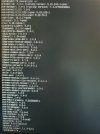
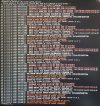
One of my proxmox nodes randomly stopped responding so i physically restarted the PC. Accessing the PC directly i was able to see an issue with importing the zfspool. It recommended to enter a certain recovery command - which i did (can't remember the exact command), and then it booted successfully and started 1 VM, however it became unresponsive whilst trying to boot the 2nd VM and now the Proxmox node always fails to boot. Whilst it is booting, i get several errors, the first being 'Failed to start the Proxmox VE cluster filesystem'.
I'd really appreciate any information on how i can diagnose and (hopefully) fix the issue.
The Proxmox boot is setup as zfs (even though there is only one physical drive - i suspect i probably shouldn't have done this).
thanks in advance
One of my proxmox nodes randomly stopped responding so i physically restarted the PC. Accessing the PC directly i was able to see an issue with importing the zfspool. It recommended to enter a certain recovery command - which i did (can't remember the exact command), and then it booted successfully and started 1 VM, however it became unresponsive whilst trying to boot the 2nd VM and now the Proxmox node always fails to boot. Whilst it is booting, i get several errors, the first being 'Failed to start the Proxmox VE cluster filesystem'.
I'd really appreciate any information on how i can diagnose and (hopefully) fix the issue.
The Proxmox boot is setup as zfs (even though there is only one physical drive - i suspect i probably shouldn't have done this).
thanks in advance