Hello,
i get following Error with PDM Version 1.0.1
E: Failed to fetch https://enterprise.proxmox.com/debian/pdm/dists/trixie/InRelease 401 Unauthorized [IP: XXX.XXX.XXX.XXX 8080]E: The repository 'https://enterprise.proxmox.com/debian/pdm trixie InRelease' is not signed.
Our systems are behind a Proxy Server so i created a config for apt to use the proxy server. For the debian packages this works well but if i try to get to the enterprise repo i get the error massage above. In another thread i saw that there could be a error so i upgraded the pdm via the no-subscription repo. But the enterprise repo won't work.
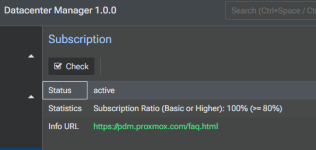
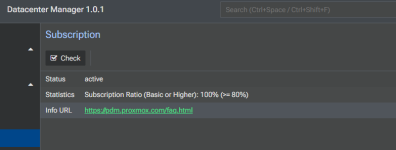
All our Proxmox Systems are with a valid license.
Any Ideas what i can do to fix the problem.
Thank you!
i get following Error with PDM Version 1.0.1
E: Failed to fetch https://enterprise.proxmox.com/debian/pdm/dists/trixie/InRelease 401 Unauthorized [IP: XXX.XXX.XXX.XXX 8080]E: The repository 'https://enterprise.proxmox.com/debian/pdm trixie InRelease' is not signed.
Our systems are behind a Proxy Server so i created a config for apt to use the proxy server. For the debian packages this works well but if i try to get to the enterprise repo i get the error massage above. In another thread i saw that there could be a error so i upgraded the pdm via the no-subscription repo. But the enterprise repo won't work.
All our Proxmox Systems are with a valid license.
Any Ideas what i can do to fix the problem.
Thank you!