Error Setup DRBD9 in Proxmox VE 4.1

juananpc

New Member
Feb 27, 2016
6
0
1
39
Hi,

I'm trying to follow this Wiki https://pve.proxmox.com/wiki/DRBD9 but when I get to the point of adding nodes 2 and 3 I get an error that says "Error: Operation not allowed on satellite node". Up to that point everything has gone well.

I tried several times and only once got to add the third node luckily, but the second gave the error.

What happen?

Thanks.
 
I've no idea, just a guess:
a) are you sure you ssh as root from EACH server into ALL THE OTHER servers? (i.e. from node1 ssh into node 2 and 3, from node2 into node 1 and 3, from node3 into node 1 and 2)
b) are you sure you have issued the command "drbdmanage add-node" ONLY AND ALWAYS from node1?
 
Hi mmenaz,

As says the wiki, I perform these steps...

a) connect as root by ssh from each node to other nodes and I accept the fingerprint for each.
b) all commands, drbmanage init and add-node, I run on node1.
 
Hey,

I had the same issue.
I fixed it with following instructions: (https://forum.proxmox.com/threads/proxmox4-dealing-with-node-failure-and-drbd9.25528/)

I think main steps (on all nodes except primary?):
  • apt-get remove drbdmanage
  • apt-get autoremove
  • apt-get install drbdmanage
  • apt-get install python-dbus-doc python-dbus-dbg
  • drbdmanage remove-node pve2 10.10.10.10 (with all nodes)
  • drbdmanage uninit (on primary node)
After that repeat the steps in https://pve.proxmox.com/wiki/DRBD9.

For me it works fine now!

regards
alex
 
Thanks for the replys but at the end trying and trying... I managed to add all nodes correctly, rebooting each node after preparing the disks and install drbdmanage.
 
Hello again,

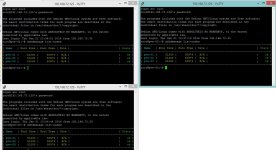
I got to add all nodes as I said before, but now I get all the time "drbd .drbdctrl: State change failed peer may not become primary while device is opened read-only" on each node.

49723e9e76.png


For what is this?

Thanks!
 
No idea, but please put the output of pveversion -v. If you are not using the latest packages (as it seems from your previous posts/video), troubleshooting is almost impossible, and insist in doing setups with outdated/bugged packages is not a good way to go either.
Before doing anything, just after having setup the proper repositories, you should have done an apt-get update ; apt-get dist-upgrade on all 3 nodes and reboot.
 
No idea, but please put the output of pveversion -v. If you are not using the latest packages (as it seems from your previous posts/video), troubleshooting is almost impossible, and insist in doing setups with outdated/bugged packages is not a good way to go either.
Before doing anything, just after having setup the proper repositories, you should have done an apt-get update ; apt-get dist-upgrade on all 3 nodes and reboot.

After reading your answer by saying that I should perform an update, what I did on each node.

1. I did a clean install.
2. I added the repository (no-subscription).
3. I did the dist-upgrade.
4. I did the steps of the wiki for drbd9.

After add the 3 nodes to drbd, began to show that error and some more on the screen. When I perform some action such as creating a virtual machine from the GUI.

For example, this happened while cloned a vm.
96dbd2844f.png


Here the output off pveversion -v:
94bce71e49.png


Thanks!
 
Last edited:
You'd better past the text between code tags instead of upload images.
I'm not a drbd9 expert, I've the feeling that you have big problems in storage communication (ping fails).
You should also dig the drbd status with the dedicate commands.
# drbdsetup status
# drbdmanage list-resources
have a look at drbd related messages in /var/log/messages or errors related to your network interfaces
 
Hey,

I had the same issue.
I fixed it with following instructions: (https://forum.proxmox.com/threads/proxmox4-dealing-with-node-failure-and-drbd9.25528/)

I think main steps (on all nodes except primary?):
  • apt-get remove drbdmanage
  • apt-get autoremove
  • apt-get install drbdmanage
  • apt-get install python-dbus-doc python-dbus-dbg
  • drbdmanage remove-node pve2 10.10.10.10 (with all nodes)
  • drbdmanage uninit (on primary node)
After that repeat the steps in https://pve.proxmox.com/wiki/DRBD9.

For me it works fine now!

regards
alex
hi hi have a great problem with drbd9
 
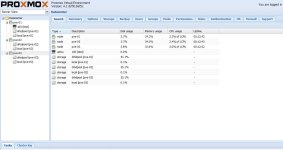
I have 3 knots on a Proxmox Virtual Environment ( Proxmox 3.4 ) I'm testing the drbd9 and I have the following situations :
nodes are connected , all diski are uptodate but when I create a VM on a node can not find the raw image on the other .
Any suggestions?
 
HI .... this is my situation.. but i can't share the raw images.... any suggest?
 

Attachments

  • 10634097_10208419436712823_8074613517505265376_o.jpg
    10634097_10208419436712823_8074613517505265376_o.jpg
    107.4 KB · Views: 15
  • 12487172_10208419437032831_426973582702786700_o.jpg
    12487172_10208419437032831_426973582702786700_o.jpg
    61.8 KB · Views: 14