

Enable SVM and no network
- Thread starter spearox
- Start date
You are using an out of date browser. It may not display this or other websites correctly.
You should upgrade or use an alternative browser.
You should upgrade or use an alternative browser.

What information do you get when you execute these commands?If I enable SVM in the BIOS and boot the PC the OS don't find network device. If I turn the SVM off everythings fine.
What can I try it in this situation?
Code:
lspci | grep -i ethernet
ip a
cat /proc/net/devI did some Windows test. Installed without detect the network then after driver installed it works, after reboot it not works dosen't matter if i set the SVM or not. (Installed with SVM turned off.)
After that I would like to reinstall the proxmox and It say No network device detected. (Before that I'll instelled without issue...)
So atm I can post only from the installer CLI.
The fun part is first time is see the network card on the lspci but can't install then I do a reboot and the card not show up in lspci.

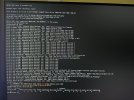
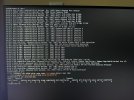
And everything with SVM off (and BIOS defaults). So without any modification its simply tricky.
After that I would like to reinstall the proxmox and It say No network device detected. (Before that I'll instelled without issue...)
So atm I can post only from the installer CLI.
The fun part is first time is see the network card on the lspci but can't install then I do a reboot and the card not show up in lspci.
And everything with SVM off (and BIOS defaults). So without any modification its simply tricky.
Last edited:
Today I turned on the PC and works fine... I can install proxmox can enable SVM...
Integrated network card.
I think its not about SVM and Proxmox. There are some serious motherboard issue.
Integrated network card.
Code:
09:00.0 Ethernet controller: Realtek Semiconductor Co., Ltd. RTL8111/8168/8411 PCI Express Gigabit Ethernet Controller (rev 15)Exciting thing. If the BIOS/firmware is up to date, perhaps contact the manufacturer and initiate a replacement? As a workaround, you could also install an additional network card.I think its not about SVM and Proxmox. There are some serious motherboard issue.