Hello Everyone,
I'm hoping you all can help me figure out how to reverse the silly network change I made in the UI.
I was setting up a new Linux bridge and was going to create a separate network so I could have a lab which was isolated. Well, that was the plan.
Anyhow, created a new Linux bridge , put in a 10.0.0.1/24 IP range and saved the configuration and after the reboot, no UI access and not able to ping the IP.
I have IMPI access so at least I can log in that way and check\modify any of the configurations.
Some other extra parts are, I created networks which were labelled (Cyber-Net, Prod-Net, Lab-Net). From memory my original Linux bridge was running on vmbr0 and using the network interface enp1s0f0.
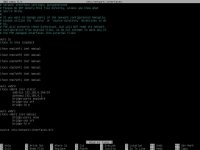
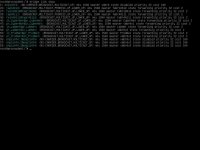
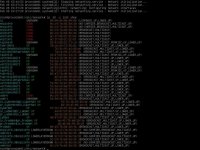
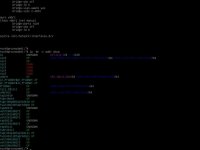
If I run nano /etc/network/interfaces, I I can see the vmbr0 interface is using the correct network card and is set with a static IP (see Interfaces screenshot).
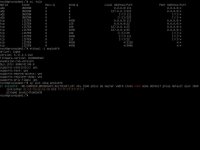
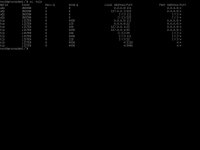
When I check that network interface , I can see that its showing down but I'm unable to bring it back up\online. I have rebooted multiple times, physically reseated the network cables but I know its the change that I made is the issue.
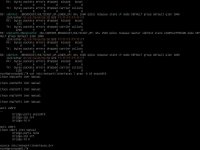
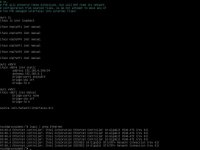
I have tried resetting the interfaces config to using DHCP, restarted the network configuration etc but all with no joy.
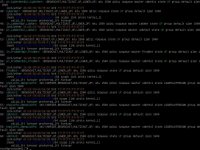
When I check the network configuration, I can see no IP is being used.
This change is a big problem now for me as I have Truenas running on it with network shares which of course are not accessible. The rest of the LXC containers, I can rebuild.
I have scoured the net for the last 26 hours but nothing has been able to help me so I'm reaching out to you good folks for help
Has anyone any idea how I can get access back please? PS no backup to return too
I'm hoping you all can help me figure out how to reverse the silly network change I made in the UI.
I was setting up a new Linux bridge and was going to create a separate network so I could have a lab which was isolated. Well, that was the plan.
Anyhow, created a new Linux bridge , put in a 10.0.0.1/24 IP range and saved the configuration and after the reboot, no UI access and not able to ping the IP.
I have IMPI access so at least I can log in that way and check\modify any of the configurations.
Some other extra parts are, I created networks which were labelled (Cyber-Net, Prod-Net, Lab-Net). From memory my original Linux bridge was running on vmbr0 and using the network interface enp1s0f0.
If I run nano /etc/network/interfaces, I I can see the vmbr0 interface is using the correct network card and is set with a static IP (see Interfaces screenshot).
When I check that network interface , I can see that its showing down but I'm unable to bring it back up\online. I have rebooted multiple times, physically reseated the network cables but I know its the change that I made is the issue.
I have tried resetting the interfaces config to using DHCP, restarted the network configuration etc but all with no joy.
When I check the network configuration, I can see no IP is being used.
This change is a big problem now for me as I have Truenas running on it with network shares which of course are not accessible. The rest of the LXC containers, I can rebuild.
I have scoured the net for the last 26 hours but nothing has been able to help me so I'm reaching out to you good folks for help
Has anyone any idea how I can get access back please? PS no backup to return too