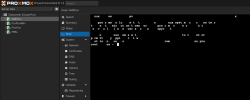
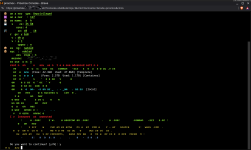
Running Prxomox VE 7.4-3 and opening the PVE web page in Chrome Version 114.0.5735.198 (Official Build) unknown (64-bit), I noticed that one of my machines running Xubuntu the console tab for VMs and containers worked perfectly. On another machine, running straight Ubuntu and the same version of the Chrome browser, the console tab displayed garbage, dropped characters, and occasionally flashed a white screen as characters were attempted to be displayed.
Clearly, one difference was the xfce desktop manager vs. the gnome desktop manager and the associated terminal emulations. When I installed the xfce-desktop on the machine where it was failing and switched to lightdm display manager, the console tab worked perfectly as it did on the Xubuntu machine.
I couldn't figure out exactly which component change was the fix.
Clearly, one difference was the xfce desktop manager vs. the gnome desktop manager and the associated terminal emulations. When I installed the xfce-desktop on the machine where it was failing and switched to lightdm display manager, the console tab worked perfectly as it did on the Xubuntu machine.
I couldn't figure out exactly which component change was the fix.
Last edited: