Hello everyone,
I have set up a Proxmox Virtual Environment on a NUC with the rootfs on a NVMe inside the NUC and 4 USB-attached HDDs. On the 4 HHDs I have created two zfs pools, each zfs pool resides on 2 mirrored HDDs.
On the PVE a couple of unprivileged containers are running, amongst them a Nextcloud instance with the user data in one of the two zfs-pools. The zfs dataset is mounted to the Nextcloud-LXC by a mountpoint, users are mapped and everything works fine.
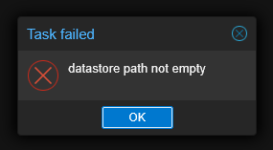
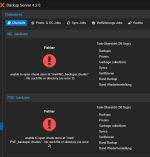
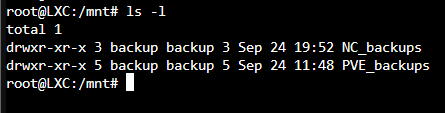
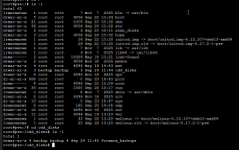
I have also set up an LXC for hosting a Proxmox Backup Server (since I do not intend to make up for separate hardware). The Backup Server is running fine, but as soon as the bind-mounts are activated in the conf-file of the LXC, I cannot create a datastore from the mounted directories or access the datastore, when I create it before I mount the zfs dataset into the LXC. Since I figured, the reason could be the permissions on the directories, I converted the LXC into a privileged LXC, but this didn't do any difference.
I hope that the explanation of my setup is comprehensible. Which step did I miss, or is there a mistake in the entire approach (apart from recommendations concerning using other hardware) ?
Looking forward to any helpful hints.
I have set up a Proxmox Virtual Environment on a NUC with the rootfs on a NVMe inside the NUC and 4 USB-attached HDDs. On the 4 HHDs I have created two zfs pools, each zfs pool resides on 2 mirrored HDDs.
On the PVE a couple of unprivileged containers are running, amongst them a Nextcloud instance with the user data in one of the two zfs-pools. The zfs dataset is mounted to the Nextcloud-LXC by a mountpoint, users are mapped and everything works fine.
I have also set up an LXC for hosting a Proxmox Backup Server (since I do not intend to make up for separate hardware). The Backup Server is running fine, but as soon as the bind-mounts are activated in the conf-file of the LXC, I cannot create a datastore from the mounted directories or access the datastore, when I create it before I mount the zfs dataset into the LXC. Since I figured, the reason could be the permissions on the directories, I converted the LXC into a privileged LXC, but this didn't do any difference.
I hope that the explanation of my setup is comprehensible. Which step did I miss, or is there a mistake in the entire approach (apart from recommendations concerning using other hardware) ?
Looking forward to any helpful hints.