Cloned VMs from template receive the same DHCP IP address

zikou

Member
Nov 13, 2024
58
5
8
Hello,

I have a Proxmox VM that I configured as a template. I use this template to create/clone multiple VMs.

My network setup is:

  • Proxmox
  • pfSense as the router/DHCP server
  • pfSense DHCP assigns IP addresses dynamically
  • VMs use DHCP; I do not configure static IP addresses in Terraform or Proxmox
  • I use Terraform to create the VMs from the Proxmox template
The problem is that when I clone the template, the cloned VMs receive the same IP address from pfSense.
What is the recommended way to prepare the Linux VM before converting it to a Proxmox template so that every cloned VM receives a different DHCP IP address?
 
Because on Linux, usually the machine ID is used to identify against the DHCP server. Windows usually takes the MAC address.

Lookup how you can prepare a Debian based system (which Proxmox VE is) to be a template. You usually need to empty the machine ID, so that a new one is created on the next boot. The same goes for the host SSH keys. But those usually need to be "semi-automatically" by having a systemd unit that creates new host keys as a one shot unit that only runs once and enable it before you finally shut down the VM before converting it to a template.

I don't find a full guide quickly, but you should be able to find them on your own.

One thing with Proxmox VE though is that it is not intended to run with dynamic IPs! Make sure that you finalize the machines after deployment and make sure that the IP in the /etc/hosts file matches the configured one. This step is important as Proxmox VE needs to figure out its host name reliably!
 
  • Like
Reactions: chughes
I think a workaround might be possible via pfSense, I just looked and found the option Ignore Client Identifiers:
When set, the DHCP server will not record a unique identifier (UID) in clientlease data if present in the client DHCP request.
This option may be useful when a client can dual boot using different clientidentifiers but the same hardware (MAC) address.

With the Kea DHCP backend, if a client does not send correct and matchingclient identifier values for all of its requests, checking this box can avoidlog messages such as ALLOC_ENGINE_V4_DISCOVER_ADDRESS_CONFLICT for leasedatabase entries which are not actually conflicting.


Note
This server behavior violates the official DHCP specification.


I have not test myself. just a thought
 
Last edited:
on Linux, usually the machine ID is used to identify against the DHCP server.

I have not experienced this. I wasn't even aware it was a thing. All my Linux boxes use the MAC. Granted they are all very similar (debian with dhcpcd) and run against the same dhcp (kea) this at least proves you should be able to get it working without messing with the installed system.

Templates should of course be cleaned before but this can be useful if you ever need to clone existing systems to try out or investigate something.
 
aarons answer is spot on, at least for recent Debian and Ubuntu systems. To actually reset the machine-id start the vm you want to use as a template, login to it, then enter cloud-init clean --logs --reset -c all
 
I have found solution for assigning different ip for each vm clone
before converting vm to template i ran these commands
sudo truncate -s 0 /etc/machine-idsudo
rm -f /var/lib/dbus/machine-idsudo
rm -f /etc/ssh/ssh_host_*
but there is one issue related to SSH host keys since we should have different ssh host keys for each vm
so we need then to create it manually in each vm
sudo ssh-keygen -A
is there a workaround that when we clone the vm using that template it generate that ssh host key

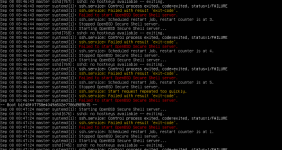
1788867637133.png
 
@zikou those are pretty much the needed steps, except that usually you would symlink /etc/machine-id to /var/lib/dbus/machine-id so that they definitely share the same content.

And to recreate SSH host keys, one can use a systemd unit like the following: https://learnlinux.link/ssh-reset
(mentioned and taken from https://www.learnlinux.tv/ )
 
@zikou those are pretty much the needed steps, except that usually you would symlink /etc/machine-id to /var/lib/dbus/machine-id so that they definitely share the same content.

And to recreate SSH host keys, one can use a systemd unit like the following: https://learnlinux.link/ssh-reset
(mentioned and taken from https://www.learnlinux.tv/ )
so if i create that service
when i create vm from that template it will create ssh host key when it start and question that service create ssh host key one time because if it restart we will have different ssh host key or im wrong
 
I ran into exactly this when building Debian templates for my home lab. What helped me understand it: on Debian-based guests the DHCP client usually identifies itself with the machine ID from /etc/machine-id rather than the MAC address, so every clone presents the same client identifier and the DHCP server hands out the same lease.

Quick way to confirm: boot two clones and compare "cat /etc/machine-id". If they match, that is your problem.

The fix is to blank the machine ID in the template before you shut it down, so each clone generates a fresh one on first boot:

truncate -s 0 /etc/machine-id
truncate -s 0 /var/lib/dbus/machine-id (only if that file exists)
poweroff

Then create the template from that stopped state. systemd recreates a unique machine-id automatically on the next boot. For clones you already deployed, running the same truncate on one of them and rebooting works too - it picks up a new address after the old lease is released.

I would be a bit careful with the pfSense ignore-client-identifiers option as a workaround, since it changes how the server matches leases for every client on that pool. Cleaning the template is the more predictable long-term fix, and it also keeps things consistent if you ever migrate to a different DHCP server.
 
  • Like
Reactions: Kingneutron