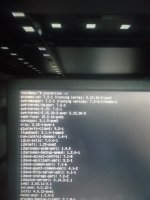
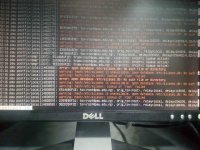
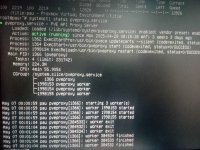
The Web UI has been inaccessible for approximately two months, following a power outage that required the servers to be shut down. Despite this, all containers and virtual machines on the server continue to run without any issues.
1. Is this an internal IP?
Yes – the server is on an internal IP: 10.99.0.155.
2. What is the IP address of the client machine?
10.99.0.22
3. What is the default gateway?
10.99.0.1
4. Can you ping the Proxmox server from the client?
Yes, I can successfully ping the server.
5. Can you SSH into the server?
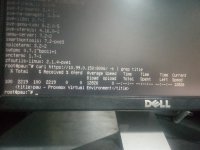
Yes, SSH access is working. However, when I run the following command:
Command - curl
https://10.99.0.155:8006/ -k | grep title
Response - curl: (35) OpenSSL SSL_connect: No such file or directory in connection to 10.99.0.155:8006
6. Output of ip a on the Proxmox server:
1: lo: <LOOPBACK,UP,LOWER_UP> mtu 65536 qdisc noqueue state UNKNOWN group defaul t qlen 1000
link/loopback 00:00:00:00:00:00 brd 00:00:00:00:00:00
inet 127.0.0.1/8 scope host lo
valid_lft forever preferred_lft forever
inet6 ::1/128 scope host
valid_lft forever preferred_lft forever
2: eno5: <BROADCAST,MULTICAST,UP,LOWER_UP> mtu 1500 qdisc mq master vmbr0 state UP group default qlen 1000
link/ether d4:f5:ef:3c:02:a0 brd ff:ff:ff:ff:ff:ff
altname enp93s0f0
3: eno6: <BROADCAST,MULTICAST> mtu 1500 qdisc noop state DOWN group default qlen 1000
link/ether d4:f5:ef:3c:02:a1 brd ff:ff:ff:ff:ff:ff
altname enp93s0f1
4: ens3f0: <BROADCAST,MULTICAST> mtu 1500 qdisc noop state DOWN group default ql en 1000
link/ether 80:30:e0:0d:af:2e brd ff:ff:ff:ff:ff:ff
altname enp19s0f0
5: eno7: <BROADCAST,MULTICAST> mtu 1500 qdisc noop state DOWN group default qlen 1000
link/ether d4:f5:ef:3c:02:a2 brd ff:ff:ff:ff:ff:ff
altname enp93s0f2
6: ens3f1: <BROADCAST,MULTICAST> mtu 1500 qdisc noop state DOWN group default ql en 1000
link/ether 80:30:e0:0d:af:2f brd ff:ff:ff:ff:ff:ff
altname enp19s0f1
7: eno8: <BROADCAST,MULTICAST> mtu 1500 qdisc noop state DOWN group default qlen 1000
link/ether d4:f5:ef:3c:02:a3 brd ff:ff:ff:ff:ff:ff
altname enp93s0f3
8: vmbr0: <BROADCAST,MULTICAST,UP,LOWER_UP> mtu 1500 qdisc noqueue state UP grou p default qlen 1000
link/ether d4:f5:ef:3c:02:a0 brd ff:ff:ff:ff:ff:ff
inet 10.99.0.155/24 scope global vmbr0
valid_lft forever preferred_lft forever
inet6 fe80::d6f5:efff:fe3c:2a0/64 scope link
valid_lft forever preferred_lft forever
9: docker0: <NO-CARRIER,BROADCAST,MULTICAST,UP> mtu 1500 qdisc noqueue state DOW N group default
link/ether 02:42:5d:c1:8d:95 brd ff:ff:ff:ff:ff:ff
inet 172.17.0.1/16 brd 172.17.255.255 scope global docker0
valid_lft forever preferred_lft forever
inet6 fe80::42:5dff:fec1:8d95/64 scope link
valid_lft forever preferred_lft forever
10: tap100i0: <BROADCAST,MULTICAST,PROMISC,UP,LOWER_UP> mtu 1500 qdisc pfifo_fas t master fwbr100i0 state UNKNOWN group default qlen 1000
link/ether fe:57:d3:5d:ff:cc brd ff:ff:ff:ff:ff:ff
11: fwbr100i0: <BROADCAST,MULTICAST,UP,LOWER_UP> mtu 1500 qdisc noqueue state UP group default qlen 1000
link/ether fe:dd:f9:32:e8:44 brd ff:ff:ff:ff:ff:ff
12: fwpr100p0@fwln100i0: <BROADCAST,MULTICAST,UP,LOWER_UP> mtu 1500 qdisc noqueu e master vmbr0 state UP group default qlen 1000
link/ether 52:81:86:36:83:80 brd ff:ff:ff:ff:ff:ff
13: fwln100i0@fwpr100p0: <BROADCAST,MULTICAST,UP,LOWER_UP> mtu 1500 qdisc noqueu e master fwbr100i0 state UP group default qlen 1000
link/ether d2:84:da:ed:e0:ed brd ff:ff:ff:ff:ff:ff
14: tap101i0: <BROADCAST,MULTICAST,PROMISC,UP,LOWER_UP> mtu 1500 qdisc pfifo_fas t master fwbr101i0 state UNKNOWN group default qlen 1000
link/ether e2:e5:e8:7a:e7:cf brd ff:ff:ff:ff:ff:ff
15: fwbr101i0: <BROADCAST,MULTICAST,UP,LOWER_UP> mtu 1500 qdisc noqueue state UP group default qlen 1000
link/ether ce:6d:f3:99:d8:91 brd ff:ff:ff:ff:ff:ff
16: fwpr101p0@fwln101i0: <BROADCAST,MULTICAST,UP,LOWER_UP> mtu 1500 qdisc noqueu e master vmbr0 state UP group default qlen 1000
link/ether 2a:7a:93:aa:8f:22 brd ff:ff:ff:ff:ff:ff
17: fwln101i0@fwpr101p0: <BROADCAST,MULTICAST,UP,LOWER_UP> mtu 1500 qdisc noqueu e master fwbr101i0 state UP group default qlen 1000
link/ether 0a:43:2c:37:e5:18 brd ff:ff:ff:ff:ff:ff
18: veth103i0@if2: <BROADCAST,MULTICAST,UP,LOWER_UP> mtu 1500 qdisc noqueue mast er vmbr0 state UP group default qlen 1000
link/ether fe:29:33:6d:e0:12 brd ff:ff:ff:ff:ff:ff link-netnsid 0
21: docker5: <BROADCAST,MULTICAST,UP,LOWER_UP> mtu 1500 qdisc noqueue state UP g roup default qlen 1000
link/ether 7e:16:a6:3b:c6:fa brd ff:ff:ff:ff:ff:ff
inet 172.58.0.1/24 brd 172.58.0.255 scope global docker5
valid_lft forever preferred_lft forever
inet 172.58.0.0/24 scope global secondary docker5
valid_lft forever preferred_lft forever
inet6 fe80::7c16:a6ff:fe3b:c6fa/64 scope link
valid_lft forever preferred_lft forever
23: veth8a50979@if22: <BROADCAST,MULTICAST,UP,LOWER_UP> mtu 1500 qdisc noqueue m aster docker5 state UP group default
link/ether c2:81:30:6a:2a:3b brd ff:ff:ff:ff:ff:ff link-netnsid 1
inet6 fe80::c081:30ff:fe6a:2a3b/64 scope link
valid_lft forever preferred_lft forever
29: veth9b87201@if28: <BROADCAST,MULTICAST,UP,LOWER_UP> mtu 1500 qdisc noqueue m aster docker5 state UP group default
link/ether a6:a9:fc:e3:48:90 brd ff:ff:ff:ff:ff:ff link-netnsid 4
inet6 fe80::a4a9:fcff:fee3:4890/64 scope link
valid_lft forever preferred_lft forever
287: veth8a7dd75@if286: <BROADCAST,MULTICAST,UP,LOWER_UP> mtu 1500 qdisc noqueue master docker5 state UP group default
link/ether 66:99:f9:15:8c:76 brd ff:ff:ff:ff:ff:ff link-netnsid 9
inet6 fe80::6499:f9ff:fe15:8c76/64 scope link
valid_lft forever preferred_lft forever
291: veth8198527@if290: <BROADCAST,MULTICAST,UP,LOWER_UP> mtu 1500 qdisc noqueue master docker5 state UP group default
link/ether 72:8b:e7:ab:01:21 brd ff:ff:ff:ff:ff:ff link-netnsid 5
inet6 fe80::708b:e7ff:feab:121/64 scope link
valid_lft forever preferred_lft forever
293: vethb7a1e3c@if292: <BROADCAST,MULTICAST,UP,LOWER_UP> mtu 1500 qdisc noqueue master docker5 state UP group default
link/ether 72:15:2e:5f:d4:ce brd ff:ff:ff:ff:ff:ff link-netnsid 6
inet6 fe80::7015:2eff:fe5f:d4ce/64 scope link
valid_lft forever preferred_lft forever
295: vethd4dbb92@if294: <BROADCAST,MULTICAST,UP,LOWER_UP> mtu 1500 qdisc noqueue master docker5 state UP group default
link/ether e6:04:60:e2:0e:e7 brd ff:ff:ff:ff:ff:ff link-netnsid 8
inet6 fe80::e404:60ff:fee2:ee7/64 scope link
valid_lft forever preferred_lft forever
45: veth0b5323e@if44: <BROADCAST,MULTICAST,UP,LOWER_UP> mtu 1500 qdisc noqueue m aster docker5 state UP group default
link/ether 1e:b8:61:2a:dc:34 brd ff:ff:ff:ff:ff:ff link-netnsid 2
inet6 fe80::1cb8:61ff:fe2a:dc34/64 scope link
valid_lft forever preferred_lft forever
47: veth814e529@if46: <BROADCAST,MULTICAST,UP,LOWER_UP> mtu 1500 qdisc noqueue m aster docker5 state UP group default
link/ether 2e:e0:0e:c3:74:ee brd ff:ff:ff:ff:ff:ff link-netnsid 3
inet6 fe80::2ce0:eff:fec3:74ee/64 scope link
valid_lft forever preferred_lft forever
Output of ipconfig on the client machine (Windows):
Host Name . . . . . . . . . . . . : test
Primary Dns Suffix . . . . . . . : *.*.*
Node Type . . . . . . . . . . . . : Hybrid
IP Routing Enabled. . . . . . . . : No
WINS Proxy Enabled. . . . . . . . : No
DNS Suffix Search List. . . . . . : *.*.*
Ethernet adapter NIC1:
Media State . . . . . . . . . . . : Media disconnected
Connection-specific DNS Suffix . : lan
Description . . . . . . . . . . . : Broadcom NetXtreme Gigabit Ethernet #2
Physical Address. . . . . . . . . : F0-1F-AF-E8-B9-DF
DHCP Enabled. . . . . . . . . . . : Yes
Autoconfiguration Enabled . . . . : Yes
Ethernet adapter NIC2:
Connection-specific DNS Suffix . :
Description . . . . . . . . . . . : Broadcom NetXtreme Gigabit Ethernet
Physical Address. . . . . . . . . : F0-1F-AF-E8-B9-E0
DHCP Enabled. . . . . . . . . . . : No
Autoconfiguration Enabled . . . . : Yes
Link-local IPv6 Address . . . . . : fe80::ecff:8991:2fa3:8b9c%13(Preferred)
IPv4 Address. . . . . . . . . . . : 10.99.0.22(Preferred)
Subnet Mask . . . . . . . . . . . : 255.255.255.0
Default Gateway . . . . . . . . . : 10.99.0.1
DHCPv6 IAID . . . . . . . . . . . : 133177263
DHCPv6 Client DUID. . . . . . . . : 00-01-00-01-28-E2-96-D5-F0-1F-AF-E8-B9-E0
DNS Servers . . . . . . . . . . . : ::1
10.99.0.22
10.99.0.15
127.0.0.1
NetBIOS over Tcpip. . . . . . . . : Enabled
Here is the outpup of ip route from the PVE server
default via 10.99.0.1 dev vmbr0 proto kernel onlink
10.99.0.0/24 dev vmbr0 proto kernel scope link src 10.99.0.155
172.17.0.0/16 dev docker0 proto kernel scope link src 172.17.0.1 linkdown
172.58.0.0/24 dev docker5 proto kernel scope link src 172.58.0.1
Output of dh -h
udev 47G 0 47G 0% /dev
tmpfs 9.5G 2.1M 9.5G 1% /run
/dev/mapper/pve-root 94G 32G 58G 36% /
tmpfs 48G 36M 47G 1% /dev/shm
tmpfs 5.0M 0 5.0M 0% /run/lock
/dev/sda2 511M 328K 511M 1% /boot/efi
/dev/fuse 128M 20K 128M 1% /etc/pve
10.99.0.154:/mnt/PAU-Backup-1/privatebackup 6.3T 3.5T 2.8T 56% /mnt/pve/PCloud-Backup-FreeNAS
tmpfs 9.5G 0 9.5G 0% /run/user/0
Let me know if i should provide more information. Thank you very much.