I'm new to proxmox and this is the first issue I have come accross and can't locate any real fixes (that I can apply\understand) so please bare with me, noob here.
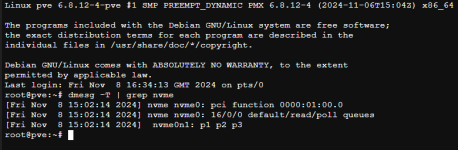
I updated Proxmox, rebooted and now I'm getting errors on my VM's re buffer and also vaa the system log in pve as below;
Nov 08 15:09:14 pve kernel: Buffer I/O error on dev dm-12, logical block 561319, lost async page write
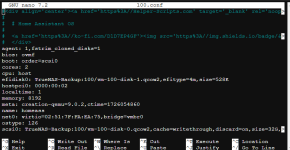
I believe I have space on my lvm and thin as below;

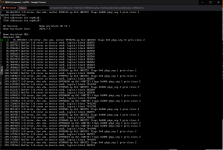
these are the type of errors I'm getting from a VM (home assistant)
If anything further is needed let me know as I currently have one unhappy wife without her automations for house stuff.
Thanks
| CPU(s) 16 x 11th Gen Intel(R) Core(TM) i7-11700 @ 2.50GHz (1 Socket) |
| Kernel Version Linux 6.8.12-4-pve (2024-11-06T15:04Z) |
| Boot Mode EFI (Secure Boot) |
| Manager Version pve-manager/8.2.8/a577cfa684c7476d |
I updated Proxmox, rebooted and now I'm getting errors on my VM's re buffer and also vaa the system log in pve as below;
Nov 08 15:09:14 pve kernel: Buffer I/O error on dev dm-12, logical block 561319, lost async page write
I believe I have space on my lvm and thin as below;
these are the type of errors I'm getting from a VM (home assistant)
If anything further is needed let me know as I currently have one unhappy wife without her automations for house stuff.
Thanks