BACKGROUND:
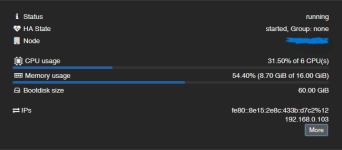
I have a Windows 11 VM that runs my cameras VMS (Video Management Software). My server is in a cluster with 3 other identical machines running other production VMs and they are using their internal NVME SSDs in a CEPH cluster for High Availability. I have a separate server running TrueNAS Scale (baremetal) and the Proxmox backup Server (VM) for daily backups. The server does not have internal space for one or more 3.5" drives to provide the necessary amount of storage so I opted for utilizing some of my NAS pool. The NAS pool is otherwise used for bulk/long term storage of office files and for VM Backups that run overnight.
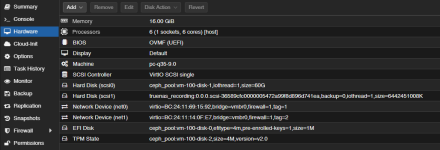
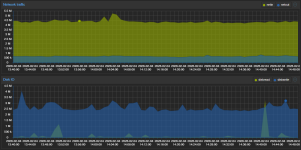
My current configuration has the OS drive of my VM using my CEPH storage so that the VM can operate in HA mode. I created a iSCSI Block Share target on the NAS. I connected the Proxmox Cluster to the iSCSI share, and then added a virtual SCSI disk to the VM for 6TB. If my server fails and the VM moves, it can reconnect to the iSCSI share without issue since the share is available across all servers in the cluster. The NAS and the Proxmox cluster are networked via a 10Gb switch with SFP+ DAC cables. Total bandwidth of all cameras to the recording VMS is only about 150 Mb/s.
ISSUES:
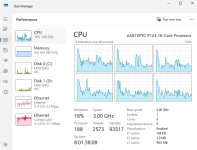
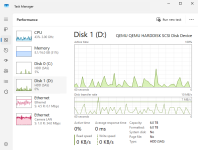
Sometimes when reviewing the recordings on the VMS in playback (which is done on a client software on a different workstation due to needing gpu/igpu power to decode the high resolution streams), it becomes very slow or unresponsive and takes a while for the video streams to load. Accessing the VM direcly via Proxmox web console or Remote Desktop shows it operates smoothly and quickly within the operating system itself, indicating that the VM itself is not bogging down (although due to lack of graphics performance cannot test viewing the playback off the shared drive). A reboot of the VM solves the issue every time. It seems like it slowly builds up some sort of resistance in accessing the data over time. I would just do scheduled reboots, but it takes several minutes for all the services to come back online and be able to view the video streams again; and we have 24hr monitoring of cameras so they can't keep going down all the time. The issue does not center around the times when backups are being written overnight, most access to recordings is done during daytime hours when the NAS storage is relatively unaccessed except for the recording for the VMS.
FIXES?
Would using an NFS share to the Proxmox cluster be a better option/more performant over the iSCSI?
Would pointing to the iSCSI target from within the Win11 VM instead of Proxmox be better?
Would adding an extra disk shelf to the NAS with an external HBA and creating a new pool specifically for the VMS to record to, then share it in one of the aforementioned ways work best?
I tried searching online for comparisons between whether iSCSI shares are better or worse than NFS and usually find people recommending iSCSI for performance. I couldn't really find any information on comparing peformance/stability of an iSCSI direct to the Windows VM vs routing through the Proxmox host and presenting as a drive to the VM.
I have a Windows 11 VM that runs my cameras VMS (Video Management Software). My server is in a cluster with 3 other identical machines running other production VMs and they are using their internal NVME SSDs in a CEPH cluster for High Availability. I have a separate server running TrueNAS Scale (baremetal) and the Proxmox backup Server (VM) for daily backups. The server does not have internal space for one or more 3.5" drives to provide the necessary amount of storage so I opted for utilizing some of my NAS pool. The NAS pool is otherwise used for bulk/long term storage of office files and for VM Backups that run overnight.
My current configuration has the OS drive of my VM using my CEPH storage so that the VM can operate in HA mode. I created a iSCSI Block Share target on the NAS. I connected the Proxmox Cluster to the iSCSI share, and then added a virtual SCSI disk to the VM for 6TB. If my server fails and the VM moves, it can reconnect to the iSCSI share without issue since the share is available across all servers in the cluster. The NAS and the Proxmox cluster are networked via a 10Gb switch with SFP+ DAC cables. Total bandwidth of all cameras to the recording VMS is only about 150 Mb/s.
ISSUES:
Sometimes when reviewing the recordings on the VMS in playback (which is done on a client software on a different workstation due to needing gpu/igpu power to decode the high resolution streams), it becomes very slow or unresponsive and takes a while for the video streams to load. Accessing the VM direcly via Proxmox web console or Remote Desktop shows it operates smoothly and quickly within the operating system itself, indicating that the VM itself is not bogging down (although due to lack of graphics performance cannot test viewing the playback off the shared drive). A reboot of the VM solves the issue every time. It seems like it slowly builds up some sort of resistance in accessing the data over time. I would just do scheduled reboots, but it takes several minutes for all the services to come back online and be able to view the video streams again; and we have 24hr monitoring of cameras so they can't keep going down all the time. The issue does not center around the times when backups are being written overnight, most access to recordings is done during daytime hours when the NAS storage is relatively unaccessed except for the recording for the VMS.
FIXES?
Would using an NFS share to the Proxmox cluster be a better option/more performant over the iSCSI?
Would pointing to the iSCSI target from within the Win11 VM instead of Proxmox be better?
Would adding an extra disk shelf to the NAS with an external HBA and creating a new pool specifically for the VMS to record to, then share it in one of the aforementioned ways work best?
I tried searching online for comparisons between whether iSCSI shares are better or worse than NFS and usually find people recommending iSCSI for performance. I couldn't really find any information on comparing peformance/stability of an iSCSI direct to the Windows VM vs routing through the Proxmox host and presenting as a drive to the VM.