PDM Requested Features

Aug 15, 2025
4
1
1
Would really love to see Proxmox evolve into a true multitenancy solution. Here is a list of some things I would LOVE to see come to PDM.

  • L2 EVPN/VXLAN Multi Cluster Stretched Fabric
  • Dynamic Resource Scheduler - (Load balancing workloads accross nodes and clusters)
  • A much easier way to create or manage permissions for tenants.
  • Need a way to limit the VNETS that tenants can view. At this time any tenant creating a VM can see and work with ALL the VNETs.
Edited: Found a way to limit VNets for tenants.

Hopefully this stuff makes sense.
 
Last edited:
Need a way to limit the VNETS that tenants can view. At this time any tenant creating a VM can see and work with ALL the VNETs.
this part is already implemented on the PVE side, the VNETs are part of the ACL tree..
 
Dang! Are they? I been looking for those but cannot find them?
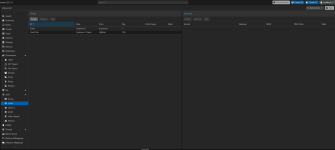
In the UI of PVE a bit "hidden". They won't show up in the ACL path dropdown menu, but if you navigate to the Tree View → Network zone in one of hte hosts → select the VNET, and then on the right side of the panel you can assign ACLs. Once assigned, they will also show in the DC → Permissions panel.

Or on the CLI:
Code:
pveum acl modify /sdn/zones/{ZONE}/{VNET} --roles PVESDNUser --users test@pve
The PUT API call is documented here: https://pve.proxmox.com/pve-docs/api-viewer/index.html#/access/acl

Edit: made it clearer where to navigate to
 
Last edited:
@aaron Thank you so much for that informtion. If only you knew how helpful this has been!

I am sure I can do it on the CLI just fine... but I am curious. I don't seem to see it on the GUI. I am at the following path: Datacenter-->SDN-->VNets But I don't see the ACL's for it. I attached a screenshot to hopefully help clarify a few things.
 

Attachments

  • Screenshot 2026-01-27 at 10.34.11 AM.png
    Screenshot 2026-01-27 at 10.34.11 AM.png
    355.2 KB · Views: 3
Okay! I found it on the GUI. Looks like the path to find it is as follows: {PVE Host} --> VMNets --> {Zone} then select the your VNet on the right under content and then add permission on the right. Thanks guys for you help! Immensily helpful!
 
  • Like
Reactions: aaron