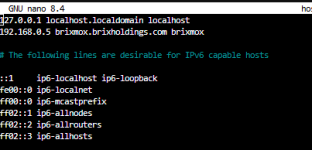
No Network / Internet after Reboot!

ITCowboy

New Member
Jun 17, 2025
7
1
3
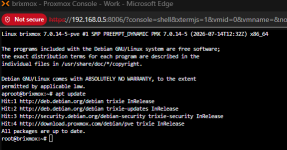
I recently upgraded from 8.x PVE to 9.x PVE and during the upgrade it failed (cant remember the error message) and it will not find internet on reboot. no apps will load and no services will install.

I can get the network to boot manually using the manual method of brtcl and assigning ip address but EVERYTIME the server has to update or power outage I have to perform the same steps to just get it online!! HELP!!!
 
Could you post a full journal of a boot where the problem occurred. If it happens every time, then the journal of the current boot should be sufficient:

Code:
journalctl -b | gzip > journal.txt.gz
 
Could you please edit the subject to let me recognize the type of your problem?

You seem have tailscale installed on the host. I would try to disable/mask all unusual "addons" and test if this changes anything.

Sorry for not being more helpful, but... "Oh SHIT" is definitely not helpful too :-(
 
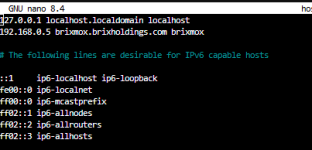
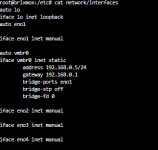
Additionally to tailscale, docker is installed as well - which is known to interfere with host networking as well. vmbr0 doesn't seem to get created by ifupdown2 on boot, which is where your network configuration resides - couldn't find any reason why in the journal. You might want to look into the logs ifupdown2 generates on boot.
 
Last edited:
can you point to me what log I should be looking at? and I just tried to reinstall ifupdown2 and it stated that it was already installed....
 
Assuming they are referring to ifupdown2.debug.log you can use this to view the newest
Bash:
cat $(ls -t /var/log/ifupdown2/*/*.log | head -n1)
And this to find others
Bash:
ls -lht /var/log/ifupdown2/*/*.log
# Or
find /var/log/ifupdown2/ -type f -name "*.log" -ls
 
Last edited:
Apart from networking, there are a number of problems in this bootlog.
- your docker (docker/containerd) install seems incomplete, preventing it to start.
- apparmord parser error (local/usr.sbin.dhclient)
- a number of zfs pools that fail to import
(Also your bootlog has some tailscale user details in it.)

These errors aside, it's better practice to run docker and/or tailscale in a VM or (debatable) LXC to prevent interference with the host.

Regarding networking I would start by disabling tailscaled and docker and first get your Proxmox host going again.
systemctl disable --now tailscaled docker containerd
systemctl networking restart (or reboot)

Then check the output of ip a and ip route show.
It should have a working vmbr0 and routing to your network's gateway.
 
Last edited:
I can get the network to boot manually using the manual method of brtcl and assigning ip address but EVERYTIME the server has to update or power outage I have to perform the same steps to just get it online!! HELP!!!
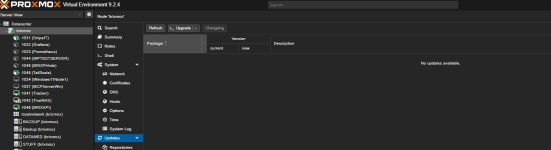
Reading this again, I assume you used DHCP for your Proxmox host and the config you posted is the temporary config. Also explains the apparmord error.

After updating to Proxmox 9 you need to reinstall the (deprecated) isc-dhcp-client package to make DHCP work again.
For more details see for example: https://forum.proxmox.com/threads/proxmox-9-0-4-doesnt-get-ip-by-dhcp.169721/

Additionally, static IP addresses are preferred for servers, but that is another topic. ;-)
 
Last edited:
Ok, wrong assumption. :)

In that case I'd say disable tailscale and everything docker related and troubleshoot host networking first as mentioned before.
The usual networking related culprits when upgrading 8 to 9 are nic renaming, ifupdown to ifupdown2 and uninstall of isc-dhcp-client. I don't see those in your bootlog though.