Problems with PCIe passthrough with two identical devices

Figured I'd chime in to add myself to the list of people having this problem. My newly-acquired UGreen DXP8800 Plus has the two ASMedia ASM1164 controllers in it, and the second one is not visible to a VM (tried Unraid and DSM/Arc Loader) no matter what kind off passing through I try. I tried the solutions on this page of the thread and nothing works. Like @elvito noticed, the controllers disappear from the host UI once the VM is started, but the VM cannot see any drives attached to it.

I have not put this node into "production" (it's just a homelab, really) yet, so I am still at a point where I can experiment with any potential solutions there are. Hoping someone has the magic one for all of us!
 
If you try a reset on a device, that has problems with a reset (during operation), then the logical consequence is, that the device will no longer be accessible.

So, either someone is actually willing to try out, what was proposed, or most likely nothing will happen.
If everyone is just waiting for someone else to fix the issue, this could take a LONG time. :)
You all obviously chose to use Open Source Software, so now you actually have the chance to contribute.
 
If you try a reset on a device, that has problems with a reset (during operation), then the logical consequence is, that the device will no longer be accessible.

So, either someone is actually willing to try out, what was proposed, or most likely nothing will happen.
If everyone is just waiting for someone else to fix the issue, this could take a LONG time. :)
You all obviously chose to use Open Source Software, so now you actually have the chance to contribute.
I'm happy to try just about anything (especially while still in the return period for the UGreen ), but after looking at your kernel quirk and firmware suggestions I decided they were over my head without a step by step guide.
 
I'm happy to try just about anything (especially while still in the return period for the UGreen ), but after looking at your kernel quirk and firmware suggestions I decided they were over my head without a step by step guide.
My answer was not directed at any one person in particular. So, it is completely fair to say, that you cannot do this.

Main point is:
Someone will have to try it. My suggestion is far from being proven. Only way however, in order to find out, is someone actually trying it, or coming up with another idea.
As long as everyone just says "same here", it will stay the way it is. Which is not working, if I am not mistaking. So, if someone knows how to do this and is actually affected, maybe think about it. If I had the time, currently, I would build you a test kernel. However, currently I sadly have bigger fish to fry.
 
Hello,

I did test the early isolation, also in combination with boot option
Code:
pcie_aspm=off
and ressource mapping, but the suspend still happens after Proxmox booted up and the HDDs of the second controller won't spin up again. Maybe the suspend could be avoided with different BIOS settings (e.g. turn off the power saving/hot plugging) or the quirk solution? My device is in a cabinet (no monitor/no keyboard) and because of effort and downtime I didn't want to take it out to test it with different BIOS settings. In the meantime I also added a 6th HDD and passed it to the Truenas VM (like the 5th HDD) as a single device, which is also working without problems.
I tried the early isolation method this morning - same results. Even though it does seem to force vfio-pci to grab the device at host boot, the second SATA controller still doesn't show in the VM. And on subsequent attempts, the VM fails to boot because the PCI device (SATA controller) can't be reset. As we know, this can only be fixed with a host reboot. I tried tinkering with any BIOS settings I thought would be related, but it still produces the same result. Hoping that maybe you see a BIOS setting that I didn't, but I'm pretty sure @celemine1gig is right in that this has to be fixed at the firmware and/or kernel level - both of which are above my pay grade, currently.
 
Just FYI, for the quirk to apply you would have to build a test Linux Kernel for your machine, with the PCI ID of you controller in question, added to the list of devices, that the "quirk_no_bus_reset" should be applied to. To my knowledge, there is no other/obvious way to test it.
Simply a heads-up, that this won't be an easy and fast test and/or workaround. Besides the question, if it even helps at all.

Edit:
As further explanation, you could for example add the following information after line 3775 in the "quirks.c" file (https://git.kernel.org/pub/scm/linu...x.git/tree/drivers/pci/quirks.c?h=v6.14#n3775):
C:
/*
 * Test patch for Asmedia SATA controller issues with PCI-pass-through
 * Some Asmedia ASM1164 controllers do not seem to successfully
 * complete a bus reset.
 */
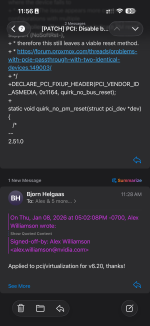
DECLARE_PCI_FIXUP_HEADER(PCI_VENDOR_ID_ASMEDIA, 0x1164, quirk_no_bus_reset);

This example obviously applies to the above mentioned Asmedia ASM1164 controller.
After spending the better part of three days with Gemini learning how to compile a Linux kernel and working through some errors and differences between Proxmox and standard Linux kernels, I got this to work. The second SATA controller has survived multiple host and VM reboots. I couldn't have done it without being able to copy & paste this code into the quirks file, so thank you very much for posting it here. Hopefully, this becomes a more permanent fix in the future. Having never done this before, can I assume that I need to avoid kernel updates for the foreseeable future? Unless of course I want to re-build a kernel every time with the quirk added, right?
 
...
Hopefully, this becomes a more permanent fix in the future. Having never done this before, can I assume that I need to avoid kernel updates for the foreseeable future? Unless of course I want to re-build a kernel every time with the quirk added, right?
Great to read, that it worked out like I had hoped for.

Now the thing is: That was the easy part.
If you want to have this permanently taken care of, this should go as a fix into the mainline Kernel.

That means, one would have to contact the official PCI subsystem maintainer about it.
See here:
https://docs.kernel.org/process/maintainers.html#pci-subsystem

Last time I tried something like this - mind you with a trivial fix, just like this - it took several months to get it accepted. And then it will take additional time, until it will be actively used in standard distributions.
So, for the time being, you will most likely have to continue building your own kernels with fixes, until this is finally done.
Unless you can convince the developers at Proxmox to implement it already, in the meantime.
 
After spending the better part of three days with Gemini learning how to compile a Linux kernel and working through some errors and differences between Proxmox and standard Linux kernels, I got this to work. The second SATA controller has survived multiple host and VM reboots. I couldn't have done it without being able to copy & paste this code into the quirks file, so thank you very much for posting it here. Hopefully, this becomes a more permanent fix in the future. Having never done this before, can I assume that I need to avoid kernel updates for the foreseeable future? Unless of course I want to re-build a kernel every time with the quirk added, right?
THANK YOU, SIR! Seems like you’re our #1 Christmas elf this year!!11! (scnr) Could you give a few more details about exactly what you did and maybe share your modifications? Did you also check if smartd is working? @celemine1gig is absolutely right — getting the fix into the mainline kernel will take forever. A faster approach might be to ask the Proxmox maintainers.
 
  • Like
Reactions: patchrick84
THANK YOU, SIR! Seems like you’re our #1 Christmas elf this year!!11! (scnr) Could you give a few more details about exactly what you did and maybe share your modifications? Did you also check if smartd is working? @celemine1gig is absolutely right — getting the fix into the mainline kernel will take forever. A faster approach might be to ask the Proxmox maintainers.
I'm not even sure what I did at this point! ;)

I'll go back through my chat with Gemini when I get some time over the next few days and see if I can put something together.
 
Here's the summary from my chat with Gemini. I don't remember specifics from when I did it, but this summary seems accurate from what I do remember. Obviously proceed at your own risk, but it has been working fine through multiple reboots for almost 2 weeks for me now. Depending how you set up your VMs/LXCs and if they rely on mount points from your NAS VM, you may have to set up a boot delay to give it time to start up.

I am by NO means an expert in any of this! I just asked Gemini a lot of the right questions to get it going the way I wanted to. So as much as I'd like to, I probably won't be much help answering questions here. ;)


Step-by-Step: PCI Quirk Patch & Custom Proxmox Kernel Build

1. Install Build Dependencies First, prepare the environment with the necessary tools and the Proxmox source.

Code:
apt update && apt install -y build-essential devscripts libncurses-dev flex bison bc libelf-dev libssl-dev git clone https://enterprise.proxmox.com/git/pve-kernel.git cd pve-kernel

2. Apply the PCI Quirk Patch Modify the kernel source to bypass header errors for your specific hardware. Open drivers/pci/quirks.c and add your device IDs. (NOTE: This is where you would apply the exact code given by @celemine1gig in Post# 12. I've replaced Gemini's example with that code.)

C:
/*
 * Test patch for Asmedia SATA controller issues with PCI-pass-through
 * Some Asmedia ASM1164 controllers do not seem to successfully
 * complete a bus reset.
 */
DECLARE_PCI_FIXUP_HEADER(PCI_VENDOR_ID_ASMEDIA, 0x1164, quirk_no_bus_reset);

3. Build the Kernel Packages Copy your current configuration and compile the kernel into installable .deb files. (NOTE: This took HOURS on my 12th gen i5 in the DXP8800 Plus.)

Code:
cp /boot/config-(uname−r).configmake−j(nproc) deb-pkg dpkg -i ../linux-image-.deb ../linux-headers-.deb

4. Pin the Custom Kernel This prevents Proxmox from reverting to the stock kernel during the next system update.

Code:
proxmox-boot-tool kernel list proxmox-boot-tool kernel pin <YOUR_CUSTOM_VERSION_HERE> proxmox-boot-tool refresh

5. Verify the Fix Reboot and check that your custom kernel is loaded and the PCI device is recognized.

Code:
uname -a dmesg | grep -i pci


Great news for all the people who had problems with this.
Next step would be to try and see if you can get it backported as well.
That would mean, that it potentially even could/might make it into 6.14 and 6.17 for Proxmox 9.
 
  • Like
Reactions: hakbjo
I hereby confirm that with the Linux kernel 7.0.0-3-pve, passthrough of both SATA controllers on the DXP8800 Plus works without any issues.
 
  • Like
Reactions: hakbjo
This is all great and good, but I’m surprised that this patch was made only for 1164, I have similar devices, but on an asm1166 chip, and they have exactly the same problem. I think that this problem applies to the entire 116* line and requires a general patch in the kernel. Tell me, how can I report this so that I can check and make changes to the update?

Code:
01:00.0 SATA controller: ASMedia Technology Inc. ASM1166 Serial ATA Controller (rev 02) (prog-if 01 [AHCI 1.0])
        Subsystem: ZyDAS Technology Corp. Device 2116
        !!! Unknown header type 7f
        Memory at 80b82000 (32-bit, non-prefetchable) [size=8K]
        Memory at 80b80000 (32-bit, non-prefetchable) [size=8K]
        Expansion ROM at 80b00000 [disabled] [size=512K]
        Kernel driver in use: vfio-pci
        Kernel modules: ahci

02:00.0 SATA controller: ASMedia Technology Inc. ASM1166 Serial ATA Controller (rev 02) (prog-if 01 [AHCI 1.0])
        Subsystem: ZyDAS Technology Corp. Device 2116
        !!! Unknown header type 7f
        Memory at 80a82000 (32-bit, non-prefetchable) [size=8K]
        Memory at 80a80000 (32-bit, non-prefetchable) [size=8K]
        Expansion ROM at 80a00000 [disabled] [size=512K]
        Kernel driver in use: vfio-pci
        Kernel modules: ahci
Code:
-[0000:00]-+-00.0  Intel Corporation Device a72a
           +-02.0  Intel Corporation Raptor Lake-S UHD Graphics
           +-08.0  Intel Corporation GNA Scoring Accelerator module
           +-0a.0  Intel Corporation Raptor Lake Crashlog and Telemetry
           +-14.0  Intel Corporation Raptor Lake USB 3.2 Gen 2x2 (20 Gb/s) XHCI Host Controller
           +-14.2  Intel Corporation Raptor Lake-S PCH Shared SRAM
           +-15.0  Intel Corporation Raptor Lake Serial IO I2C Host Controller #0
           +-15.1  Intel Corporation Raptor Lake Serial IO I2C Host Controller #1
           +-15.2  Intel Corporation Raptor Lake Serial IO I2C Host Controller #2
           +-15.3  Intel Corporation Device 7a4f
           +-16.0  Intel Corporation Raptor Lake CSME HECI #1
           +-17.0  Intel Corporation Device 7a63
           +-19.0  Intel Corporation Device 7a7c
           +-19.1  Intel Corporation Device 7a7d
           +-1a.0-[01]----00.0  ASMedia Technology Inc. ASM1166 Serial ATA Controller
           +-1c.0-[02]----00.0  ASMedia Technology Inc. ASM1166 Serial ATA Controller
           +-1c.6-[03]----00.0  Realtek Semiconductor Co., Ltd. RTL8111/8168/8211/8411 PCI Express Gigabit Ethernet Controller
           +-1d.0-[04]----00.0  Shenzhen Techwinsemi Technology Co., Ltd. TWSC TE3420 series
           +-1e.0  Intel Corporation Device 7a28
           +-1e.3  Intel Corporation Device 7a2b
           +-1f.0  Intel Corporation Device 7a0c
           +-1f.4  Intel Corporation Raptor Lake-S PCH SMBus Controller
           \-1f.5  Intel Corporation Raptor Lake SPI (flash) Controller

Code:
[  637.979764] tap124i0: left allmulticast mode
[  637.979780] vmbr0: port 2(tap124i0) entered disabled state
[  639.025928] pcieport 0000:00:1a.0: Data Link Layer Link Active not set in 100 msec
[  639.089975] vfio-pci 0000:01:00.0: resetting
[  640.114800] pcieport 0000:00:1a.0: Data Link Layer Link Active not set in 100 msec
[  640.117598] vfio-pci 0000:01:00.0: reset done
[  640.120238] vfio-pci 0000:01:00.0: Unable to change power state from D0 to D3hot, device inaccessible
[  681.663247] sd 41:0:0:0: [sdg] Stopping disk
[  682.670715] vfio-pci 0000:02:00.0: resetting
[  682.695282] vfio-pci 0000:02:00.0: reset done
[  683.229014] tap124i0: entered promiscuous mode
[  683.256715] vmbr0: port 2(tap124i0) entered blocking state
[  683.256721] vmbr0: port 2(tap124i0) entered disabled state
[  683.256735] tap124i0: entered allmulticast mode
[  683.256832] vmbr0: port 2(tap124i0) entered blocking state
[  683.256835] vmbr0: port 2(tap124i0) entered forwarding state
[  683.963469] vfio-pci 0000:02:00.0: resetting
[  683.987949] vfio-pci 0000:02:00.0: reset done
[  684.023421] vfio-pci 0000:02:00.0: resetting
[  685.047464] pcieport 0000:00:1c.0: broken device, retraining non-functional downstream link at 2.5GT/s
[  686.047402] pcieport 0000:00:1c.0: retraining failed
[  686.047458] pcieport 0000:00:1c.0: Data Link Layer Link Active not set in 100 msec
[  686.111916] vfio-pci 0000:02:00.0: reset done
[  686.111938] vfio-pci 0000:02:00.0: resetting
[  687.138302] pcieport 0000:00:1c.0: Data Link Layer Link Active not set in 100 msec
[  687.140027] vfio-pci 0000:02:00.0: reset done
[  689.212311] vfio-pci 0000:02:00.0: vfio_bar_restore: reset recovery - restoring BARs
[  689.239639] vfio-pci 0000:02:00.0: vfio_bar_restore: reset recovery - restoring BARs
[  689.261429] vfio-pci 0000:02:00.0: vfio_bar_restore: reset recovery - restoring BARs
[  689.277068] vfio-pci 0000:02:00.0: vfio_bar_restore: reset recovery - restoring BARs
[  689.277568] vfio-pci 0000:02:00.0: Invalid PCI ROM header signature: expecting 0xaa55, got 0xffff
[  689.277762] vfio-pci 0000:02:00.0: vfio_bar_restore: reset recovery - restoring BARs
[  689.294186] vfio-pci 0000:02:00.0: vfio_bar_restore: reset recovery - restoring BARs
[  689.294415] vfio-pci 0000:02:00.0: vfio_bar_restore: reset recovery - restoring BARs
[  689.294491] vfio-pci 0000:02:00.0: vfio_bar_restore: reset recovery - restoring BARs
[  689.295270] vfio-pci 0000:02:00.0: vfio_bar_restore: reset recovery - restoring BARs
[  689.314185] vfio-pci 0000:02:00.0: vfio_bar_restore: reset recovery - restoring BARs
[  689.335482] vfio-pci 0000:02:00.0: vfio_bar_restore: reset recovery - restoring BARs
[  689.335907] vfio-pci 0000:02:00.0: vfio_bar_restore: reset recovery - restoring BARs
[  689.365674] vfio-pci 0000:02:00.0: vfio_bar_restore: reset recovery - restoring BARs
[  689.379039] vfio-pci 0000:02:00.0: vfio_bar_restore: reset recovery - restoring BARs
[  689.862226] vfio-pci 0000:02:00.0: vfio_bar_restore: reset recovery - restoring BARs
[  689.863155] vfio-pci 0000:02:00.0: vfio_bar_restore: reset recovery - restoring BARs
[  689.864028] vfio-pci 0000:02:00.0: vfio_bar_restore: reset recovery - restoring BARs
[  689.867786] vfio-pci 0000:02:00.0: vfio_bar_restore: reset recovery - restoring BARs
[  689.868655] vfio-pci 0000:02:00.0: vfio_bar_restore: reset recovery - restoring BARs
[  689.869557] vfio-pci 0000:02:00.0: vfio_bar_restore: reset recovery - restoring BARs
[  704.516915] vfio-pci 0000:02:00.0: vfio_bar_restore: reset recovery - restoring BARs
[  704.517031] vfio-pci 0000:02:00.0: vfio_bar_restore: reset recovery - restoring BARs
[  935.843187]  sdc: sdc1 sdc2 sdc3
[  935.867056]  sdd: sdd1 sdd2 sdd3
[ 1236.589531]  sdc: sdc1 sdc2 sdc3
[ 1236.604253]  sdd: sdd1 sdd2 sdd3
[ 1538.921800]  sdc: sdc1 sdc2 sdc3
[ 1538.951991]  sdd: sdd1 sdd2 sdd3
[ 1739.352740]  zd560: p1 p2 p3
[ 1739.484348] tap124i0: left allmulticast mode
[ 1739.484364] vmbr0: port 2(tap124i0) entered disabled state
[ 1740.540365] pcieport 0000:00:1c.0: Data Link Layer Link Active not set in 100 msec
[ 1740.604098] vfio-pci 0000:02:00.0: resetting
[ 1741.630318] pcieport 0000:00:1c.0: Data Link Layer Link Active not set in 100 msec
[ 1741.633262] vfio-pci 0000:02:00.0: reset done
[ 1741.636165] vfio-pci 0000:02:00.0: Unable to change power state from D0 to D3hot, device inaccessible
[ 1754.795052] vfio-pci 0000:01:00.0: Unable to change power state from D3cold to D0, device inaccessible
[ 1754.798244] vfio-pci 0000:01:00.0: Unable to change power state from D3cold to D0, device inaccessible
[ 1754.809963] vfio-pci 0000:02:00.0: Unable to change power state from D3cold to D0, device inaccessible
[ 1754.813225] vfio-pci 0000:02:00.0: Unable to change power state from D3cold to D0, device inaccessible

The problem is still the same, the proxmox OS starts, both ASM 116rabhf cards open and display the connected disks, but when adding them to a virtual machine with standard settings, the virtual machine starts, but the disks and controllers are no longer in the guest OS =) the errors provided above are in the message log. After stopping, restarting the guest OS will no longer start with the error:

error writing '1' to '/sys/bus/pci/devices/0000:02:00.0/reset': Inappropriate ioctl for device
failed to reset PCI device '0000:02:00.0', but trying to continue as not all devices need a reset
kvm: ../hw/pci/pci.c:1815: pci_irq_handler: Assertion `0 <= irq_num && irq_num < PCI_NUM_PINS' failed.
TASK ERROR: start failed: QEMU exited with code 1

Well, actually, the disks are not displayed on the host, only rebooting the Proxmox host helps
 
@sacredx72:
See here:
Same procedure.
 
@sacredx72:
See here:
Same procedure.
I didn't see or find any contacts or a link to create a ticket, only a screenshot from my email =) maybe I didn't look hard enough =)
Question: As a temporary solution, without rebuilding a custom kernel, changing the file - /etc/modprobe.d/vfio.conf
options vfio-pci ids=1b21:1166 quirks=1b21:1166:no_bus_reset
softdep ahci pre: vfio-pci

Doesn't this affect kernel operation and controller initialization when forwarding to a VM? I tried, but so far, no luck =(