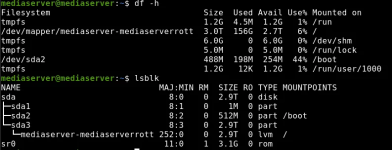
Hello, I was trying to create a snapshot of my only vm on proxmox before trying to resize it since I accidentally gave it 3000gb instead of 300 but the snapshot duration time was taking a long time so I stopped it but saw the snapshot is still there so I tried to remove it only for the vm to get locked as a result. I unlocked it from the shell console but it keeps locking itself again when I try to delete the snapshot again and giving me this: command '/usr/bin/qemu-img snapshot -d Immich_VM /mnt/pve/server/images/100/vm-100-disk-0.qcow2' failed: exit code 1
I turned off my vm before trying to delete it in case of any potential issues before getting that error message yet I ran into said error still.
One other attempt at deleting the snapshot gave me this error instead though this isn't appearing for me currently: TASK ERROR: VM 100 qmp command 'blockdev-snapshot-delete-internal-sync' failed - Snapshot with id 'null' and name 'Immich_VM' does not exist on device 'drive-scsi0'
Any help with solving this issue would be greatly appreciated.
I turned off my vm before trying to delete it in case of any potential issues before getting that error message yet I ran into said error still.
One other attempt at deleting the snapshot gave me this error instead though this isn't appearing for me currently: TASK ERROR: VM 100 qmp command 'blockdev-snapshot-delete-internal-sync' failed - Snapshot with id 'null' and name 'Immich_VM' does not exist on device 'drive-scsi0'
Any help with solving this issue would be greatly appreciated.