Ubuntu server 24.04 fails to install on VM

surfninjas

New Member
Jan 15, 2026
8
1
3
Proxmox VE 9.1.5
Ubuntu Server 24.04.03

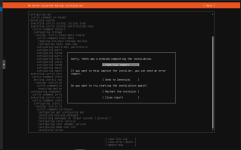
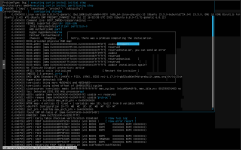
I have been trying to create a basic VM in my proxmox server using ubuntu server. I've verified the checksum from the download of the iso and it comes out ok. I tried a few times to remove the vm and reinstall and it seems to always fail when it goes to install the kernel. I'm not really sure what is wrong as I was able to create a vm about a week or so ago. I have attached some screenshots that hopefully might be helpful but I have no idea how to begin to trouble shoot this. If there is other information that would be useful, please let me know and I'd be happy to provide it.
 

Attachments

  • Screenshot from 2026-02-04 20-28-09.png
    Screenshot from 2026-02-04 20-28-09.png
    437 KB · Views: 17
  • Screenshot from 2026-02-04 20-33-08.png
    Screenshot from 2026-02-04 20-33-08.png
    195.9 KB · Views: 16
  • Like
Reactions: ryo9999
Same here but fixed it. I installed it on bare metal on this same machine no problem and then switched to proxmox today and had this issue.

Try a different mirror during the screen where it tries to confirm it can reach a mirror. You can find a list of mirrors on Canonical's site.

Maybe something is wrong with the default mirror?
 
I don't know why, but switching the mirror to Pilot Fiber made it work. ICSCoE has 100Gbps, yet it didn't work.
I have no idea what's going on.
 
I have the same problem since yesterday. Before I noticed that some helper scripts that were based on Ubuntu also didn´t install, but at least full VMs worked. Since yesterday however VMs will crash on installing the kernel. Downloading a new ISO does not help, nor switching BIOS or UEFI or changing the mirror. Existing VMs work fine. Also, Debian works, but I just learned myself to work with Ubuntu.
 
had problems too.
disabled network, switched to UEFI, somehow it's working for now....
Do you then start network after install?

Edit: I have found a workaround that seems to work for me. I delete the mirror for updates during the installation and then continue as normal. After successful install I then add the standard source to the file /etc/apt/sources.list.d/ubuntu.sources. And then it works.
 
Last edited:
  • Like
Reactions: chupakabra
I also cannot get a fresh Ubuntu VM to install. I have others that were built prior to the newest 9.1.5 release. Could it be related to the new updates that were just released a couple of days ago? I have tried all settings and cannot get an ubuntu VM to install to save my life.
 
I did find that adding a network card and leaving the network without internet access does allow it to proceed and it will install but it takes about ten times longer than normal. I still think this may be related to a recent proxmox update. I am going to try to finish the urgent vm I need to make then try to update them if any are available and try all of this again.
 
Whoa, thanks for the suggestions everyone! Here is what I have tried. When I create the VM, I just accept the defaults unless I mention the changes below:

- Helper script https://community-scripts.github.io/ProxmoxVE/scripts?id=ubuntu2404-vm:
This works but don't know default login credentials. Tried admin/admin and ubuntu/ubuntu

- Set BIOS section of System in VM setup to SeaBIOS selected:
Didn't work. Fails at "installing kernel". Also when error report pane is shown, the memory usage shoots up to 90%.

- Trying http://mirror.pilotfiber.com/ubuntu/ mirror at install console:
Didn't work. Fails at "installing kernel".

- Selected "No network device" in Network tab of VM setup.
Makes it past the initial ubuntu installer. Selected restart. Works and am able to login successfully.

- I delete the mirror for updates during the installation and then continue as normal.
Makes it past the initial ubuntu installer. Selected restart. Works and am able to login successfully. Didn't add the standard sources to /etc/apt/sources.list.d/ubuntu.sources as I don't know how, but I could login.

If anyone can let me know how to app the standard sources to /etc/apt/sources.list.d/ubuntu.sources, I think that might get the vm working for me.
 
Ok I figured it out (or a work around). If you delete the mirror for updates during the installation and then continue as normal, you should be able to login. You'll get an error when you login but edit /etc/apt/sources.list.d/ubuntu.sources and make sure it matches the answer here for Ubuntu 24.04. Save the file, reboot, then you can sudo apt update and sudo apt dist-upgrade in the vm. Seems to work normally now but if something fails, I'll update here.
 
Ok I figured it out (or a work around). If you delete the mirror for updates during the installation and then continue as normal, you should be able to login. You'll get an error when you login but edit /etc/apt/sources.list.d/ubuntu.sources and make sure it matches the answer here for Ubuntu 24.04. Save the file, reboot, then you can sudo apt update and sudo apt dist-upgrade in the vm. Seems to work normally now but if something fails, I'll update here.
This is exactly what I did. I got a feeling that the installer tries to download an update during installation and then fails, but the error report is far too long and complicated for me to understand. I'm just happy that I don´t have to reinstall my Proxmox server.
By the way, for me just changing the mirror did not work. I had to completely remove it.