

I've got two servers in my Proxmox datacentre. The first server has a VM running PBS. I've added PBS as shared storage to the datacentre connecting through a domain. I'm getting a valid certificate using Lets Encrypt with the Cloudflare DNS integration on PBS.
When listing information on the first server about the PBS storage, everything shows up correctly.
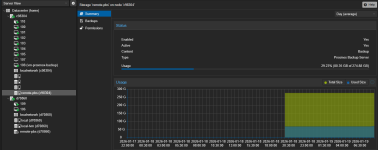
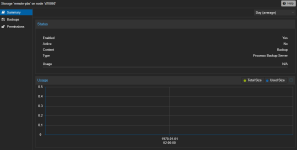
However, on the second server it shows up as "not available".
When listing the remote I get the following. On the first server it outputs a list of backups, as desired.
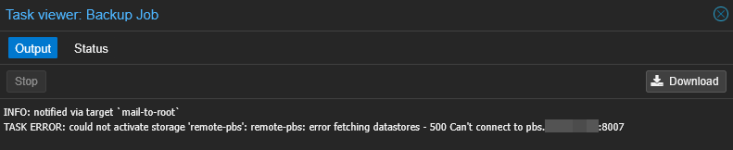
This is also the message I get when trying to run backups on the second server.
When using the Proxmox backup client:
My storage configuration is the same across each server:
The subdomain resolves to the correct, internal IP on both servers.
When listing information on the first server about the PBS storage, everything shows up correctly.
However, on the second server it shows up as "not available".
When listing the remote I get the following. On the first server it outputs a list of backups, as desired.
Code:
root@d70860:~# pvesm list remote-pbs
remote-pbs: error fetching datastores - 500 Can't connect to pbs.domain.tld:8007
This is also the message I get when trying to run backups on the second server.
When using the Proxmox backup client:
Code:
root@d70860:~# proxmox-backup-client version --repository proxmox@pbs@pbs.domain.tld:8007:backup
Password for "proxmox@pbs": ****************
storing login ticket failed: $XDG_RUNTIME_DIR must be set
client version: 3.4.7
server version: 4.1.0
Code:
root@c98304:~# proxmox-backup-client version --repository proxmox@pbs@pbs.domain.tld:8007:backup
Password for "proxmox@pbs": ****************
client version: 3.4.7
server version: 4.1.0
My storage configuration is the same across each server:
Code:
pbs: remote-pbs
        datastore backup
        server pbs.domain.tld
        content backup
        port 8007
        prune-backups keep-all=1
        username proxmox@pbs
The subdomain resolves to the correct, internal IP on both servers.
