

Hi all,
My NVME disk failed 1 week before I implemented my backups and set them running and had to go to a data recovery lab.
The old disk was a 512GB one, and I asked to grab all the data and move to a new 1TB one (it was cloned).
I arrived home, and tried to rezise the local-lvm to be able to use the rest of the space on this new disk.
Saw that there is no GUI option to do that, but I could perform it by using the command
So I went to check the actual size:
Then applied that command that supposedly should expand to all the free space, but it just increased a few GB:
Can someone tell me what I've done wrong and how can I fix it to be able to expand the local-lvm to use all the free space without losing my data?
Thank you for the help.
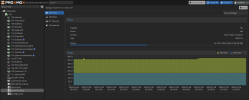
My NVME disk failed 1 week before I implemented my backups and set them running and had to go to a data recovery lab.
The old disk was a 512GB one, and I asked to grab all the data and move to a new 1TB one (it was cloned).
I arrived home, and tried to rezise the local-lvm to be able to use the rest of the space on this new disk.
Saw that there is no GUI option to do that, but I could perform it by using the command
lvextend -l +100%FREE /dev/mapper/pve-dataSo I went to check the actual size:
Code:
nvme0n1                      259:0    0 931.5G  0 disk
├─nvme0n1p1                  259:1    0  1007K  0 part
├─nvme0n1p2                  259:2    0   512M  0 part /boot/efi
└─nvme0n1p3                  259:3    0 465.3G  0 part
  ├─pve-swap                 252:0    0     8G  0 lvm  [SWAP]
  ├─pve-root                 252:1    0    96G  0 lvm  /
  ├─pve-data_tmeta           252:2    0   3.5G  0 lvm
  │ └─pve-data-tpool         252:4    0 338.4G  0 lvm
  │   ├─pve-data             252:5    0 338.4G  1 lvm
  │   ├─pve-vm--100--disk--0 252:6    0    20G  0 lvm
  │   ├─pve-vm--105--disk--0 252:7    0     4M  0 lvm
  │   ├─pve-vm--105--disk--1 252:8    0    32G  0 lvm
  │   ├─pve-vm--107--disk--0 252:9    0     8G  0 lvm
  │   ├─pve-vm--109--disk--0 252:10   0     2G  0 lvm
  │   ├─pve-vm--110--disk--0 252:11   0     8G  0 lvm
  │   ├─pve-vm--112--disk--0 252:12   0    20G  0 lvm
  │   ├─pve-vm--113--disk--0 252:13   0    50G  0 lvm
  │   ├─pve-vm--114--disk--0 252:14   0    50G  0 lvm
  │   ├─pve-vm--117--disk--0 252:15   0     8G  0 lvm
  │   ├─pve-vm--118--disk--0 252:16   0   512M  0 lvm
  │   ├─pve-vm--116--disk--0 252:17   0     6G  0 lvm
  │   ├─pve-vm--119--disk--0 252:18   0     8G  0 lvm
  │   ├─pve-vm--120--disk--0 252:19   0    10G  0 lvm
  │   └─pve-vm--106--disk--0 252:20   0    12G  0 lvm
  └─pve-data_tdata           252:3    0 338.4G  0 lvm
    └─pve-data-tpool         252:4    0 338.4G  0 lvm
      ├─pve-data             252:5    0 338.4G  1 lvm
      ├─pve-vm--100--disk--0 252:6    0    20G  0 lvm
      ├─pve-vm--105--disk--0 252:7    0     4M  0 lvm
      ├─pve-vm--105--disk--1 252:8    0    32G  0 lvm
      ├─pve-vm--107--disk--0 252:9    0     8G  0 lvm
      ├─pve-vm--109--disk--0 252:10   0     2G  0 lvm
      ├─pve-vm--110--disk--0 252:11   0     8G  0 lvm
      ├─pve-vm--112--disk--0 252:12   0    20G  0 lvm
      ├─pve-vm--113--disk--0 252:13   0    50G  0 lvm
      ├─pve-vm--114--disk--0 252:14   0    50G  0 lvm
      ├─pve-vm--117--disk--0 252:15   0     8G  0 lvm
      ├─pve-vm--118--disk--0 252:16   0   512M  0 lvm
      ├─pve-vm--116--disk--0 252:17   0     6G  0 lvm
      ├─pve-vm--119--disk--0 252:18   0     8G  0 lvm
      ├─pve-vm--120--disk--0 252:19   0    10G  0 lvm
      └─pve-vm--106--disk--0 252:20   0    12G  0 lvm
Then applied that command that supposedly should expand to all the free space, but it just increased a few GB:
Code:
root@pve:~# lvextend -l +100%FREE /dev/mapper/pve-data
  Size of logical volume pve/data_tdata changed from <338.36 GiB (86619 extents) to 354.35 GiB (90714 extents).
  Logical volume pve/data successfully resized.
Can someone tell me what I've done wrong and how can I fix it to be able to expand the local-lvm to use all the free space without losing my data?
Thank you for the help.

