Fingerprint changed after certifcate update

Subsonic

Member
Jun 28, 2023
13
3
8
Hello guys,

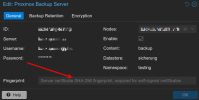
about one month ago both my PVE and PBS automatically renewed their SSL-certificates over their ACME plugins, and after that they weren't able to communicate with each other. The fingerprint of the PBS changed so i had to manually change the fingerprint from the PBS in PVE. Backups are now working again but i still have problems to access the backups from inside PVE. Is this how it is supposed to be? I configured the ACME plugin to renew the certificates ever 3 months.

Thanks in advance,

Georg
 
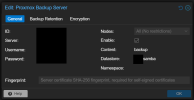
Thanks for your fast reply! I've now removed the fingerprint and i will see if it's working now when the scheduled backup is running tonight.
 
  • Like
Reactions: fireon
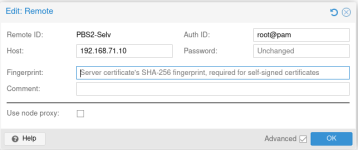
As soon as you use a public certification authority, you no longer need the fingerprint (CA certificate) for the connections. Please delete it.
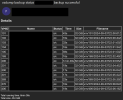
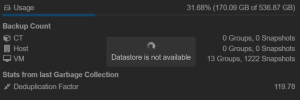
Scheduled backups worked once again without problems, but i still have massive problems displaying the contents of my datastore.

1725440868009.png

1725440916602.png

My datastore is a samba share mountet via the classic fstab route which is working without problems.
 
That I understand this correctly. Access from PVE works, but PBS itself no longer sees the pool correctly? But you can access it on the CMD (only files)?
 
Same problem here.
ACME renewed the Let's-Encrypt certificate.
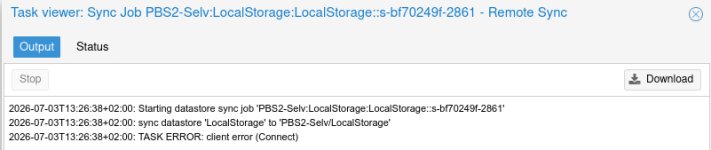
After that the sync-job on the PBS itself failed to connect (I use the sync-job to move files from one directory to a subdirectory, both on the same local storage).
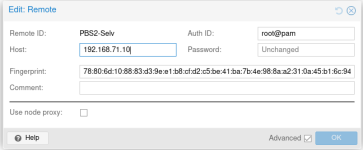
Solution: Menu "Configuration -> Remotes" contains the fingerprint of the local storage. And this fingerprint is used for connections PBS internal.
Get the fingerprint from Dashboard (Show Fingerprint) and copy it to Remotes.
 
In my experience, a fingerprint isn't required at all once you're using a public certificate. That would be like having to first import the CA locally into your OS or browser for every website you visit. Therefore, it should be sufficient to simply remove the fingerprint from those locations.

I have my own CA here. I didn’t enter a fingerprint either, since I’d already trusted the CA in the OS itself.

Just only for the documentation:
Copy an CA-Cert to "/usr/local/share/ca-certificates/" and import it with "update-ca-certificates".

From the docs: https://pbs.proxmox.com/docs/sysadmin.html#certificate-management

Certificate verification when sending backups to a Proxmox Backup Server is either done based on pinning the certificate fingerprints in the storage/remote configuration, or by using certificates, signed by a trusted certificate authority.

@quantumjump please removing the fingerprints, does it work after?
 
Have you tried connecting via the actual domain/FQDN from the Let's Encrypt certificate instead of the IP address?

My guess would be that if you use the IP address instead of the domain/FQDN, it will still use the original self-signed certificate, which won't work without the fingerprint.