SMB/CIFS: NT_STATUS_LOGON_FAILURE

Jun 19, 2024
6
0
1
I have:
  • 3 Proxmox: 2 with Proxmox 8.2 and another with 7.4
  • Synology NAS with SMB enabled
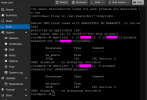
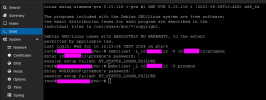
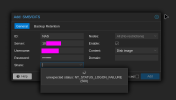
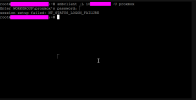
I have successfully configured one of the Proxmox servers running version 8, but the other two consistently show NT_STATUS_LOGON_FAILURE
1718808856802.png1718809031617.png
 
Have you tried using NameOfNas\proxmox or 10.X.X.X\proxmox as the username?
Looks like it is trying to do the login with the network-name, which for the server in the screenshot is set to WORKGROUP, but perhaps for the other server and the nas it is set to something else?

Or, if you have the NAS joined in some domain, then you would of course need to use DOMAIN-NAME\proxmox as the username.
 
  • Like
Reactions: ChrisRogge
Have you tried using NameOfNas\proxmox or 10.X.X.X\proxmox as the username?
Looks like it is trying to do the login with the network-name, which for the server in the screenshot is set to WORKGROUP, but perhaps for the other server and the nas it is set to something else?

Or, if you have the NAS joined in some domain, then you would of course need to use DOMAIN-NAME\proxmox as the username.
I forgot to mention you
 
Do you see anything in the logs on the Synology-NAS side?
And have you tried connecting to an SMB-Share on a different device? (Server/PC/other)
Synology nas only give log when the connections work. I can not see any error in log center.
And yes this fail in 2/3 proxmox, 1 proxmox works well, and my laptop
 
Synology nas only give log when the connections work. I can not see any error in log center.
And yes this fail in 2/3 proxmox, 1 proxmox works well, and my laptop
I meant it the other way around, connecting from the working and non-working proxmox to a different SMB share (on for example your laptop) to see if maybe the NAS is at fault still somewhere. And on your laptop you of course have different logs, which might provide more insight (for example the security log to see login attempts)