Latest activity
-
LLeopold31 replied to the thread Proxmox Backup Server 4.2 released!.So, I noticed the new kernel 7 come up in my (non-enterprise) PBS. So I tried installing it. I have PBS with enterprise license, but this was an extra backup server I had on an old HP Microserver Gen 8. So the installation went OK, and it...
-
Bbossanova808 replied to the thread Opt-in Linux 7.0 Kernel for Proxmox VE 9 available on test and no-subscription.A follow up to my and @Gnosh reports about the issue with Tailscale asymmetric performance and Kernel 7. The issue is easily tested and reproducible with iperf3 across Tailscale. I have reproduced it both within my local network and across...
-
Ttotae replied to the thread [SOLVED] Veeam Backup Issue with Offline VM on LVM ontop SAN.Hello, It's work thank you. Best Regards,
-
Ttotae reacted to barberos's post in the thread [SOLVED] Veeam Backup Issue with Offline VM on LVM ontop SAN with
 Like.
Maybe this is the same issue: https://forum.proxmox.com/threads/proxmox-8-4-and-veeam-backup-issue-while-the-vm-is-offline.183077/ And this may be the sollution: https://www.veeam.com/kb4715
Like.
Maybe this is the same issue: https://forum.proxmox.com/threads/proxmox-8-4-and-veeam-backup-issue-while-the-vm-is-offline.183077/ And this may be the sollution: https://www.veeam.com/kb4715 -
KKingneutron replied to the thread [SOLVED] ZFS Problem with DirtyFrag Fix Kernel.Look into zfsbootmenu, might allow you to boot from usb stick / SD card media https://docs.zfsbootmenu.org/en/latest/general/portable.html
-
Ttheseris replied to the thread [TUTORIAL] Encrypted ZFS Root on Proxmox.found my culprit. I did not take into account the partition for bios legacy I was skipping it and so the command I was trying to do was not understood. My bad for my stupidity. Sorry.
-
NNoreMakes replied to the thread OPNsense capping speeds in Proxmox VM.Hi! Thanks for the quick response, the NICs are using virtio, and are no longer bridged in proxmox. Now to keep it simple I just have nic0 as vmbr0 for WAN and nic1 as vmbr1 for LAN. I tried to pass the LAN through as a raw PCI Device after...
-
Bbitranox reacted to SleepyCircuit's post in the thread High VM-EXIT and Host CPU usage on idle with Windows Server 2025 with Like.
Here is a follow-up on my initial post. I was running out of ideas, so I've decided to let Claude code SSH connect to my production host (because why not?). Figured it might be able to shed some new light on the issue. Turns out it really did...
-
NNorth117 replied to the thread Proxmox PVE dist update break NIC.Nothing... did not work, multiple error on the repo... damn
-
Hharrydus posted the thread LXC Container do not start after latest Kernel Upgrade to 7.0.2-2 in Proxmox VE: Installation and configuration.After the latest Kernel-Upgrade PSA-2026-00019-2: "DirtyFrag" Local Privilege Escalation on some nodes LXC containers don't start. The reason is, that /run/pve is missing. After creating /run/pve manually the container do start just fine.
-
NNorth117 replied to the thread Proxmox PVE dist update break NIC.Ok thanks and sorry for quote, I'm a beginner
-
NNorth117 replied to the thread Proxmox PVE dist update break NIC.error: main exception: "RawConfigParser" object has no attribute "readfp". Says for both command
-
NNorth117 replied to the thread Proxmox PVE dist update break NIC.Thank you, it's true. But after modify with the correct name the problem is still present.
-
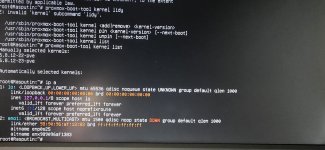
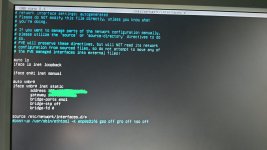
NNorth117 replied to the thread Proxmox PVE dist update break NIC.Many thanks for replying! From 8.xxx to 9. I tried a rollback to the old kernel 6.8.12-22 (proxmox-boot-tool kernel add) but automatically returns to -23. This my NIC situation (in attach).
-
-
 SteveITS replied to the thread Proxmox PVE dist update break NIC.From what to what did you upgrade? If you upgraded kernels there are some posts in https://forum.proxmox.com/threads/opt-in-linux-7-0-kernel-for-proxmox-ve-9-available-on-test-and-no-subscription.182328/page-6#post-851777 If you pin the prior...
 -
NNorth117 posted the thread Proxmox PVE dist update break NIC in Proxmox VE: Networking and Firewall.Hello to All! As per the title, I performed the dist update for my node (single point to failure) and unfortunately the network interface stopped working. Searching the forum, I noticed several threads about this and tried various suggested...
-
Ttheseris replied to the thread [TUTORIAL] Encrypted ZFS Root on Proxmox.from what I have seen the one of them was in a raid, which I destroyed. each disk at each reboot has been cleaned using the tutorial sgdisk --zap-all $DISK and as I said nothing appears on the zfs or zpool command. the tutorian is the official...
-
 UdoB replied to the thread [TUTORIAL] Encrypted ZFS Root on Proxmox.Those disks were used earlier? In a "bpool"? I did not read read the tutorial you've mentioned; you may erase them completely by something like "dd if=/dev/null of=/dev/disktobeerased bs=1M state=progress" or read man zpool-labelclear
 -
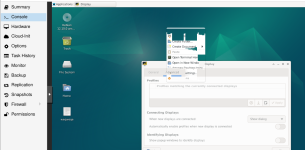
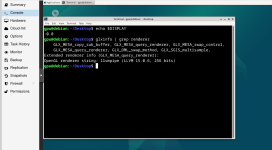
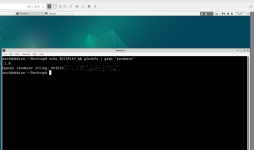
Kkikoko replied to the thread [Suggestion] Let VirtIO-GPU support max_outputs..I kinda was wondering now why does modesetting have a priority over actual nvidia drivers especially during boot via gpu pass thru, so therefore did s a quick search turns out that it might be driver issues and modesetting is currently disabled...
-
-
Ggasherbrum replied to the thread New Secure Boot shim on Proxmox Host?.first i dont think it matters because proxmox has their own efi cert, and you could turn off secure boot, but process for me was below if you want to try: i have some old dell workstations for a lab and this was the process to get the 2023 cert...