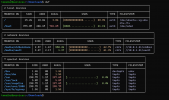
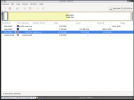
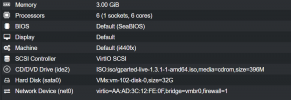
lsblkthe "duf" output you posted does not show anything about actual disk, only the mounted partitions of the disk. Which is correctly reported.
For disk information see "lsblk" or "lsscsi", etc.
During the installation you were given a choice on how to partition the disk and the end result is what you see. You can either reinstall your OS or find a procedure on the net to expand the LVM slice and the ext4 file system inside the VM.
Ultra low latency all-NVME shared storage for Proxmox - https://www.blockbridge.com/proxmox
Thank you!The search terms you need are "ubuntu resize partition lvm"
The first google result is a good resource: https://carleton.ca/scs/2019/extend-lvm-disk-space/
Ultra low latency all-NVME shared storage for Proxmox - https://www.blockbridge.com/proxmox
We use essential cookies to make this site work, and optional cookies to enhance your experience.