

Environment Details:
- Proxmox VE Version: 8.2.7
- Storage Type: ZFS
- Disk Details:
- Disk Name: `/dev/zvol/bpool/data/vm-1117-disk-0`
- Size: 250 GiB
- Partitions:
- Partition 1: 249 GiB (Linux)
- Partition 2: 975 MiB (Extended)
- Partition 5: 975 MiB (Linux Swap)
What I Want to Achieve:
I need to restore and reattach the disk `vm-1117-disk-0` to its original VM or another VM so it can be used again.
Steps I’ve Taken So Far:
Additional Context:
- I have several other VM disks under `bpool/data` and `rpool/data`.
- The disk appears intact, but I’m unsure how to properly restore it to a functioning state within Proxmox.
#### **Logs/Screenshots:**
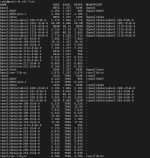
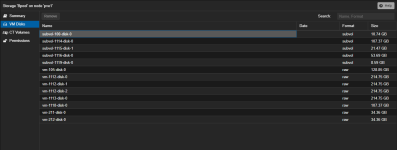
Any guidance would be greatly appreciated!
---
- Proxmox VE Version: 8.2.7
- Storage Type: ZFS
- Disk Details:
- Disk Name: `/dev/zvol/bpool/data/vm-1117-disk-0`
- Size: 250 GiB
- Partitions:
- Partition 1: 249 GiB (Linux)
- Partition 2: 975 MiB (Extended)
- Partition 5: 975 MiB (Linux Swap)
What I Want to Achieve:
I need to restore and reattach the disk `vm-1117-disk-0` to its original VM or another VM so it can be used again.
Steps I’ve Taken So Far:
- Recreated the VM: Used the same configuration as the original VM (ID: 1117) to try and match the disk with the new VM.
- Rescanned Disks: Ran the qm rescan command to detect the existing disk in Proxmox.
- Verified the disk’s presence using ZFS commands and confirmed the disk exists at /dev/zvol/bpool/data/vm-1117-disk-0.
Issues Encountered:
The recreated VM does not recognize or attach the existing ZFS-backed disk.
I’m unsure of the correct procedure to reassign the disk to the VM.
Additional Context:
- I have several other VM disks under `bpool/data` and `rpool/data`.
- The disk appears intact, but I’m unsure how to properly restore it to a functioning state within Proxmox.
#### **Logs/Screenshots:**
Any guidance would be greatly appreciated!
---