I setup two of my proxmox servers while connected to one subnet, and then moved them to a different subnet. For simplicity we changed from 192.168.'A'.1 to 192.168.'B'.1. Accessing the GUI is working and the VMs all have IPs on the B subnet.
The Issue im having is that the different VMs won't talk to each other or allow files to be shared. I have used nano /etc/network/interfaces and nano /etc/hosts to change the IP and Gateway to the correct new settings. I have also checked /etc/resolv.conf.
Any ideas of which other config files need to be edited?
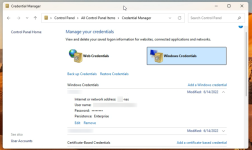
From within the node, RDP tries to connect, but it will not accept the username and password for the VM. It also won't allow file sharing within the Node between VMs. If connecting from outside the node everything works as it should. I configured a couple of other Proxmox servers to double check and by default everything I'm trying to do works.
The two servers I changed subnets on both have the exact same issues. Unfortunately, I installed Proxmox on the same hard drive as the VMs are stored on so it's complicated to start fresh with Proxmox. I'd prefer to fix the configs and then move Proxmox onto a different SSD drive after migrating all the VMs (15+) onto a different drive.
Second issue I created while trying to resolve the main issue is that I can now only connect to the GUI from a computer on that subnet. I have a few other proxmox servers and I'm not having either of these issues with any of them.
BTW, turning off firewalls in the GUI made no difference. Ping tests work but not connections using VM credentials.
If there was an etc file that had a list of VM IPs and credentials, that would be where ID think the problem was.
Excuse the NOOB questions... My computer science background is not very current and this problem is well outside of my education and experience.
I searched and haven't been able to find a solution. After posting here ===> https://forum.proxmox.com/threads/ip-address-change.153469/#post-835354 the recomendation was made that I start a new thread.
I have now learned that I should have had Debian and Proxmox on it's own ssd drive and the VMs on a different drive. If I can resolve this issue I'll be moving the most used VM onto a NVME drive on a PCIE card.
Server running it is a Lenovo TD340 running 2X 10 core 20 thread Xeon processors and 196 GB ram. The use is not particularly demanding and if I can resolve this Issue I'm going to guggle things to reduce some of the bottlenecks I'm currently having.
I have tried to simply have it boot off a different drive with Proxmox on it, but Proxmox kind of freaked and wouldn't let me access anything on the 2 TB SSD drive that had all the VMs and OS on it.
Thoughts anyone? @mram @sw-omit @0xcircuitbreaker
The Issue im having is that the different VMs won't talk to each other or allow files to be shared. I have used nano /etc/network/interfaces and nano /etc/hosts to change the IP and Gateway to the correct new settings. I have also checked /etc/resolv.conf.
Any ideas of which other config files need to be edited?
From within the node, RDP tries to connect, but it will not accept the username and password for the VM. It also won't allow file sharing within the Node between VMs. If connecting from outside the node everything works as it should. I configured a couple of other Proxmox servers to double check and by default everything I'm trying to do works.
The two servers I changed subnets on both have the exact same issues. Unfortunately, I installed Proxmox on the same hard drive as the VMs are stored on so it's complicated to start fresh with Proxmox. I'd prefer to fix the configs and then move Proxmox onto a different SSD drive after migrating all the VMs (15+) onto a different drive.
Second issue I created while trying to resolve the main issue is that I can now only connect to the GUI from a computer on that subnet. I have a few other proxmox servers and I'm not having either of these issues with any of them.
BTW, turning off firewalls in the GUI made no difference. Ping tests work but not connections using VM credentials.
If there was an etc file that had a list of VM IPs and credentials, that would be where ID think the problem was.
Excuse the NOOB questions... My computer science background is not very current and this problem is well outside of my education and experience.
I searched and haven't been able to find a solution. After posting here ===> https://forum.proxmox.com/threads/ip-address-change.153469/#post-835354 the recomendation was made that I start a new thread.
I have now learned that I should have had Debian and Proxmox on it's own ssd drive and the VMs on a different drive. If I can resolve this issue I'll be moving the most used VM onto a NVME drive on a PCIE card.
Server running it is a Lenovo TD340 running 2X 10 core 20 thread Xeon processors and 196 GB ram. The use is not particularly demanding and if I can resolve this Issue I'm going to guggle things to reduce some of the bottlenecks I'm currently having.
I have tried to simply have it boot off a different drive with Proxmox on it, but Proxmox kind of freaked and wouldn't let me access anything on the 2 TB SSD drive that had all the VMs and OS on it.
Thoughts anyone? @mram @sw-omit @0xcircuitbreaker


 9:F2,bridge=vmbr0,firewall=1