Hi...
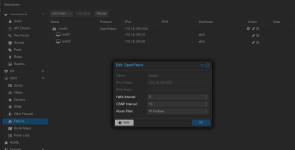
I have a VLAN named 90.
In this VLAN I have had created this:
pmx01:~# cat /etc/pve/sdn/zones.cfg
vlan: vlan90
bridge vmbr1
ipam pve
mtu 9000
pmx01:~# cat /etc/pve/sdn/vnets.cfg
vnet: vnlan90
zone vlan90
tag 90
pmx01:~# cat /etc/pve/sdn/subnets.cfg
subnet: vlan90-172.16.100.0-24
vnet vnlan90
Now, I want to set a ip in that 172.16.100.0/24 range, one IP on each 3 servers - pmx01, pmx02 e pmx03.
So, how can I set this IP?
Usualy, I use the interfaces file to do that in each node, like that:
auto vmbr0.148
iface vmbr0.148 inet static
address 192.xxx.xx.x/24
gateway 192.xxx.xx.1
mtu 1500
#mgmt
auto vmbr1.53
iface vmbr1.53 inet static
address xxxx
mtu 9000
#cluster
auto vmbr1.60
iface vmbr1.60 inet static
address xxxx
mtu 9000
#nvme
auto vmbr1.85
iface vmbr1.85 inet static
address xxxxx
mtu 9000
#ceph
auto vmbr1.80
iface vmbr1.80 inet static
address xxxxx
mtu 9000
#Ceph-RBD
auto vmbr1.2030
iface vmbr1.2030 inet static
address xxxxx
mtu 9000
#sto_nas
source /etc/network/interfaces.d/*
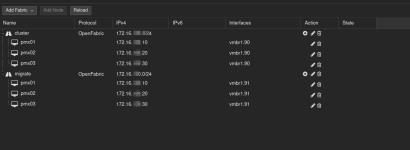
But I'd like to use SDN in order to centralize the network management, so when I decide to put more nodes, the SDN just replicate the configuration across new nodes.
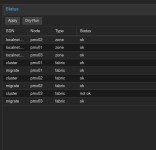
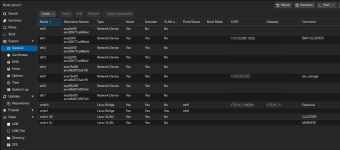
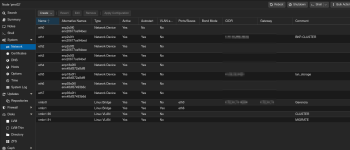
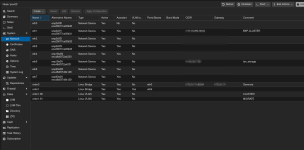
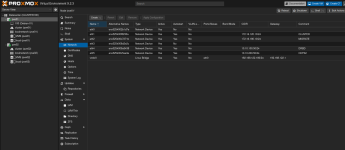
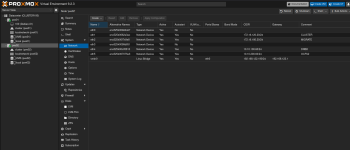
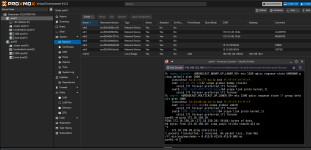
The network interface created inside SDN stack doesn't appears in the node > system > network.
Perhaps I missunderstood the SDN. Is this not suppose to be use between physical nodes but only between VMs?
Best regards.
I have a VLAN named 90.
In this VLAN I have had created this:
pmx01:~# cat /etc/pve/sdn/zones.cfg
vlan: vlan90
bridge vmbr1
ipam pve
mtu 9000
pmx01:~# cat /etc/pve/sdn/vnets.cfg
vnet: vnlan90
zone vlan90
tag 90
pmx01:~# cat /etc/pve/sdn/subnets.cfg
subnet: vlan90-172.16.100.0-24
vnet vnlan90
Now, I want to set a ip in that 172.16.100.0/24 range, one IP on each 3 servers - pmx01, pmx02 e pmx03.
So, how can I set this IP?
Usualy, I use the interfaces file to do that in each node, like that:
auto vmbr0.148
iface vmbr0.148 inet static
address 192.xxx.xx.x/24
gateway 192.xxx.xx.1
mtu 1500
#mgmt
auto vmbr1.53
iface vmbr1.53 inet static
address xxxx
mtu 9000
#cluster
auto vmbr1.60
iface vmbr1.60 inet static
address xxxx
mtu 9000
#nvme
auto vmbr1.85
iface vmbr1.85 inet static
address xxxxx
mtu 9000
#ceph
auto vmbr1.80
iface vmbr1.80 inet static
address xxxxx
mtu 9000
#Ceph-RBD
auto vmbr1.2030
iface vmbr1.2030 inet static
address xxxxx
mtu 9000
#sto_nas
source /etc/network/interfaces.d/*
But I'd like to use SDN in order to centralize the network management, so when I decide to put more nodes, the SDN just replicate the configuration across new nodes.
The network interface created inside SDN stack doesn't appears in the node > system > network.
Perhaps I missunderstood the SDN. Is this not suppose to be use between physical nodes but only between VMs?
Best regards.
Last edited: