User login failed

mickyface

New Member
Jan 20, 2026
12
0
1
Hello Support,

Please added a new user to my Proxmox PVE and granted admin privileges, after am not able to login with the root account.
With new user too am able to login via ssh and the console but am not able to stop, start and destroy VMs.
Please see below errors

When I tried to login using root account this is what I got
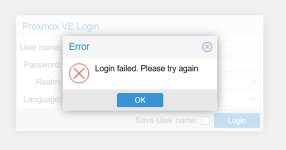
1772227346197.png

When I tried to execute command from the new user, this is the error I got

michael@proxmox1:~$ qm destroy 106
-bash: qm: command not found
michael@proxmox1:~$

Kindly assist
 
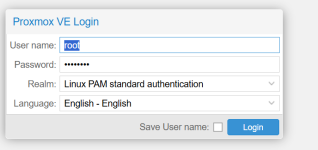
Did you select the correct realm for the root user?
 
michael@proxmox1:~$ qm destroy 106
-bash: qm: command not found
michael@proxmox1:~$
qm is in /usr/sbin which may not be included in a path of the new user:
which qm
/usr/sbin/qm

When logged in as new user via SSH - try to ssh into localhost, ie: ssh root@localhost
is the password still working?


Blockbridge : Ultra low latency all-NVME shared storage for Proxmox - https://www.blockbridge.com/proxmox
 
qm is in /usr/sbin which may not be included in a path of the new user:
which qm
/usr/sbin/qm

When logged in as new user via SSH - try to ssh into localhost, ie: ssh root@localhost
is the password still working?


Blockbridge : Ultra low latency all-NVME shared storage for Proxmox - https://www.blockbridge.com/proxmox
Thanks @bbgeek17, I haven't changed the password but it's not working again
output below

michael@proxmox1:~$ ssh root@localhost
hostkeys_find_by_key_hostfile: hostkeys_foreach failed for /etc/ssh/ssh_known_hosts: Permission denied
The authenticity of host 'localhost (127.0.0.1)' can't be established.
ED25519 key fingerprint is SHA256:dTgxbUXXj22lB4tzgOxTCtd7Cl+HVWSmVi7pl6QNgdw.
This key is not known by any other names.
Are you sure you want to continue connecting (yes/no/[fingerprint])? yes
Warning: Permanently added 'localhost' (ED25519) to the list of known hosts.
root@localhost's password:
Permission denied, please try again.
root@localhost's password:
Permission denied, please try again.
root@localhost's password:
 
Type out your password in shell so you can confirm it is what you expect it to be.

I suppose you don't have sudo for this user?

You can always use the system recovery process to reset the root password.


Blockbridge : Ultra low latency all-NVME shared storage for Proxmox - https://www.blockbridge.com/proxmox
Thanks bbgeek17, it's not part of sudo and since I cant login with the root account I can't add it to sudo. what solutions will work best, reboot the host and reset the password?