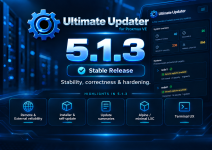
Unofficial updater script for Proxmox VE (HOST / LXC / VM )

Perhaps I did not look deep enough but I did not find some important info about the inner working of the script. I am only interested in updating the hosts/cluster and for this to be safe I would like to know:
- does it check if reboot is required e.g. after kernel updates? And does it reboot if necessary?
- if so is there a mass suspend for all running machines and resume after reboot?
- is there any protection against unintended migrations because of HA-settings due to temporary unavailability during updates?
- are the nodes of a cluster updated one after the other or all in parallel?
 
  • Like
Reactions: Johannes S
Perhaps I did not look deep enough but I did not find some important info about the inner working of the script. I am only interested in updating the hosts/cluster and for this to be safe I would like to know:
- does it check if reboot is required e.g. after kernel updates? And does it reboot if necessary?
- if so is there a mass suspend for all running machines and resume after reboot?
- is there any protection against unintended migrations because of HA-settings due to temporary unavailability during updates?
- are the nodes of a cluster updated one after the other or all in parallel?

Hi,

1. the script check if reboot is required. You can also set "reboot if nessesary" in config file.
If the option is not set, and welcome screen is installed, you become notification after login, if a VM need reboot.
2. There is no HA protection in the script.
3. Within an Cluster, the script make one node after the other.

Hope I could help you out

BassT
 
  • Like
Reactions: matt69
Thanks for your very responsive reply but a quick search for "reboot" and "shutdown" in your script showed only commands that seem to be for VMs and containers. I might have missed it but then this is an indicator that your script is too complex for me to understand and as recommended elsewhere in this thread I will not run scripts for such an important task without completely understanding what is going on.
Again, thanks for your efforts but I guess it is not the right tool for me.
 
  • Like
Reactions: Johannes S
Thanks for your very responsive reply but a quick search for "reboot" and "shutdown" in your script showed only commands that seem to be for VMs and containers. I might have missed it but then this is an indicator that your script is too complex for me to understand and as recommended elsewhere in this thread I will not run scripts for such an important task without completely understanding what is going on.
Again, thanks for your efforts but I guess it is not the right tool for me.
You are right.
Reboot is only for VM - An lxc use the host kernel, so it don't need an reboot
The script is nearly safe to use with basic settings.

Best for you is also the "tag" feature.
With this you can set "update-only" in proxmox ui. So you can test first the working flow.

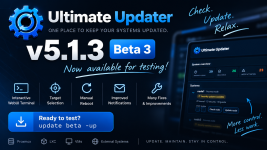
Also pls use the latest beta release with "update beta -up"
The stable is nearly one year old and beta will come to stable within near future.

BUT AT FIRST YOU NEED BACKUPS FROM YOUR SETUP!!!

Strange things could happen all the day
The script makes Snapshots and or Backups also, if you want
 
ultimate_updater_v5_forum_1000px.png

v5.0 released

A lot has changed since the last release.

Extras / Improvements:

- configurable email sender
- notification controls for update checks and successful runs
- improved Alpine, Fedora and Arch update handling
- Alpine VM support
- Kali Linux support
- UniFi update support
- improved backup and reboot handling
- improved SSH, QEMU Guest Agent and cluster handling

Fixed:

- VM-specific user scripts
- incomplete update-check email output
- dpkg conffile prompts during unattended upgrades
- QEMU guest output / numeric update parsing
- VM SSH / QEMU path selection
- welcome-screen timeout handling
- uninstaller handling
- several reliability issues

v5.0 was tested with Proxmox hosts, LXC containers, SSH VMs, QEMU Agent VMs and clustered nodes.

Fresh installation and self-update against the public release were also successfully tested.

Release / Changelog:
https://github.com/BassT23/Proxmox/releases/tag/v5.0

Thanks to everyone who reported bugs, tested or contributed!
 
  • Like
Reactions: matt69
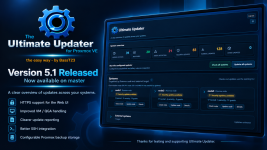
ultimate-updater-forum-1000px.png

@Impact thanks for pointing that out

You are correct regarding the command shown in the image.

apt upgrade -y is not used by Ultimate Updater for updating the Proxmox node. The node update actually uses:

apt-get dist-upgrade -y

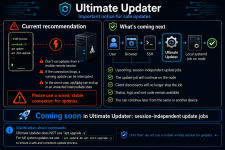
The apt update && apt upgrade -y shown on the phone was only meant as a simple graphical representation of an update running inside an SSH session. In hindsight, that was a poor choice because it makes it look like this is the actual command used by the updater.

The updater itself also requires root privileges, so the missing sudo in the illustration is not representative of how Ultimate Updater is executed either.

I'll correct the graphic to avoid that confusion.

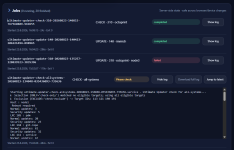
Regarding tmux: yes, that is a perfectly valid workaround for manually started SSH jobs. The upcoming implementation goes one step further, though: Ultimate Updater will start the update as a session-independent systemd job directly on the node. That way the job automatically survives a browser/SSH/client disconnect, while its status, logs and exit code remain available.

Thanks for catching the misleading command in the image!