

Unable to access VM servers and containers on local network

anon9191

New Member
Jan 11, 2026
2
0
1
I know it is not recommended to run over wifi, however it is only option for now. I managed to get the wlan to work after following This guide. I can access proxmox fine but cannot access home assistant or immich. My /etc/network/interfaces is as follows:
Code:
auto lo
iface lo inet loopback
auto [wifi_interface]
iface [wifi_interface] inet dhcp
        wpa-conf /etc/wpa_supplicant/wpa_supplicant.conf


auto vmbr0
iface vmbr0 inet static
        address 10.10.1.245/26
        bridge-ports none
        bridge-stp off
        bridge-fd 0
        post-up echo 1 > /proc/sys/net/ipv4/ip_forward
      
        post-up   iptables -t nat -A POSTROUTING -s '10.10.1.245/26' -o [wifi_interface] -j NETMAP --to '192.168.8.245/26'
        post-up   iptables -t nat -A PREROUTING  -d '192.168.8.245/26' -j NETMAP --to '10.10.1.245/26'
        post-up   ip r add local '192.168.8.245/26' dev [wifi_interface]
        post-up   iptables -t raw -I PREROUTING -i fwbr+ -j CT --zone 1
        post-down iptables -t nat -D PREROUTING  -d '192.168.8.245/26' -j NETMAP --to '10.10.1.245/26'
        post-down iptables -t nat -D POSTROUTING -s '10.10.1.245/26' -o [wifi_interface] -j NETMAP --to '192.168.8.245/26'
      
        post down ip r del local '192.168.8.245/26' dev [wifi_interface]
        post-down iptables -t raw -D PREROUTING -i fwbr+ -j CT --zone 1
I am not sure what I am missing, any help would be appreciated.
 
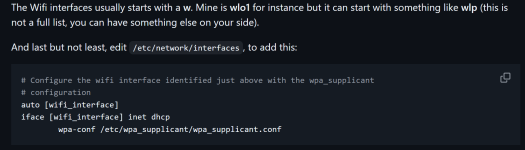
Please consult your "tutorial" and adept it to your setup instead of just copy/pasting everything.
Hint:

1768103823986.png
 
Wow, I had changed everything else. Even after fixing the obvious wifi interface, still not working. I think I am not correctly understanding the nat set up.
Code:
auto lo
iface lo inet loopback
auto wlp2s0
iface wlp2s0 inet dhcp
        wpa-conf /etc/wpa_supplicant/wpa_supplicant.conf

auto vmbr0
iface vmbr0 inet static
        address 10.10.1.245/26
        bridge-ports none
        bridge-stp off
        bridge-fd 0
        post-up echo 1 > /proc/sys/net/ipv4/ip_forward
      
        post-up   iptables -t nat -A POSTROUTING -s '10.10.1.245/26’ -o wlp2s0 -j NETMAP --to '192.168.10.245/26’
        post-up   iptables -t nat -A PREROUTING  -d '192.168.10.245/26’ -j NETMAP --to '10.10.1.245/26'
        post-up   ip r add local '192.168.8.245/26’ dev wlp2s0
        post-up   iptables -t raw -I PREROUTING -i fwbr+ -j CT --zone 1
        post-down iptables -t nat -D PREROUTING  -d '192.168.10.245/26’ -j NETMAP --to '10.10.1.245/26’
        post-down iptables -t nat -D POSTROUTING -s '10.10.1.245/26’ -o wlp2s0 -j NETMAP --to '192.168.10.245/26’
      
        post down ip r del local '192.168.10.245/26’ dev wlp2s0
        post-down iptables -t raw -D PREROUTING -i fwbr+ -j CT --zone 1
The ip assigned to wlan is 192.168.8.245/24