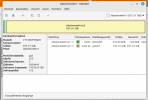
I had Problems first time installing Proxmox one my Personal PC.
I also wiped my windows installation meanwhile.
I had weird Problems with Proxmox, everything worked more or less fine the first time i started it. i Installed linux mint as VM and tried to install linux mint so that its not live. Then i had the Problem: Linux Mint always ran as a Live version (after Linux install it just booted to Live).
Then i tried to re install linux mint by deleting and creating new VM. since then it allways had problems that it didnt start after that.
i decided to remove proxmox from linux mint (installed on nvme0n1) but it wouldnt let me.
what i wanted was just to have proxmox on my main pc with windows 11 & linux mint.
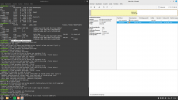
I also wiped my windows installation meanwhile.
I had weird Problems with Proxmox, everything worked more or less fine the first time i started it. i Installed linux mint as VM and tried to install linux mint so that its not live. Then i had the Problem: Linux Mint always ran as a Live version (after Linux install it just booted to Live).
Then i tried to re install linux mint by deleting and creating new VM. since then it allways had problems that it didnt start after that.
i decided to remove proxmox from linux mint (installed on nvme0n1) but it wouldnt let me.
what i wanted was just to have proxmox on my main pc with windows 11 & linux mint.