

Tracking Center failed After Update to Latest

tirgil

Active Member
May 15, 2020
4
1
43
54
Hi,

I update to the lastest version. If i try to use the tracking center they give the error.

command '/usr/bin/pmg-log-tracker -v -s 1781079962 -e 1781125200 -n -g -l 2000' failed: exit code 101 (500)

This error message appears with the first email received after the update. I think the problem is a formatting error while parsing the new log record.

Thank you in advance for your answers.
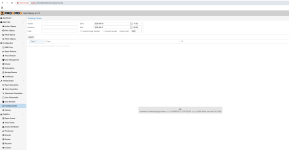
1781084307686.png
 
* please share the journal of the time when this failed.
* do you have any modifications in place (e.g. some wrapper around pmg-log-tracker to check other nodes' logs)?
* please also share `pmgversion -v`
 
Hi

1- The first incoming e-mail after the e-mail update in the log line

"Jun 10 12:32:21 pmg9 pmg-smtp-filter[125550]: 3202C86A292F1C81ECA: accept mail to <metin2@benimsitem.com> (D538E3203C7) (rule: default-accept)".

2- No, I haven't made any changes.
 

Attachments

1- The first incoming e-mail after the e-mail update in the log line

"Jun 10 12:32:21
The timestamp looks wrong - did you take that from `/var/log/syslog` ? - this is the place the log-tracker looks for its logs - please check that /var/log/syslog contains timestamps like `2026-06-10T00:23:42.810698+02:00` - instead of `Jun 10 00:23:42`

also - please run the command from the error-message above in the command line - `pmg-logtracker -v -s -g -l 2000`
 
Hi,

I obtained it with this command:

journalctl --since "2026-06-10 10:00:00" --until "2026-06-10 13:00:00" > /tmp/antispam-journal.txt

pmg-log-tracker -v -s -g -l 2000 It doesn't work without specifying a time range.

pmg-log-tracker -v -s '2026-06-10 10:00:00' -e '2026-06-11 00:00:00' -g -l 2000
# LogReader: 152486
# Query options
# Start: 2026-06-10 10:00:00 (1781074800)
# End: 2026-06-11 00:00:00 (1781125200)
# End Query Options

thread 'main' (152486) panicked at src/main.rs:119:21:
range start index 2 out of range for slice of length 1
note: run with `RUST_BACKTRACE=1` environment variable to display a backtrace
SMTPD: T6A291630L00000001
CTIME: 6A291630
CLIENT: 178.16.53.104
TO:6A291630:T6A291630L00000001:N: from <test@superonline.net> to <loveleadz@hotmail.com>

QENTRY: 718793202C7
CTIME: 6A292F24
SIZE: 4794
CLIENT: mail-qv1-f44.google.com[209.85.219.44]
MSGID: <CA+3Vp4Cd26-5TkoJy-Gmhtc10+KBzt9ecbNXMbkDqVyMG3vDqQ@mail.gmail.com>

root@pmg9:/usr/bin#
 

Attachments

Last edited:
Thanks ! - the issue might be the output from your custom check script - could you verify that by - disabling the DEBUG: lines it prints?
or delete them from a copy of your syslog and run the locktracker command with `-i </path/to/copy-of-log>`
 
  • Like
Reactions: tirgil
Thank you so much for showing me the way.
I've changed it to `my $debug = 0;`
The debug lines were cleared with the following commands, and the service was restarted.

systemctl stop rsyslog syslog.socket
grep -v "DEBUG:" /var/log/syslog > /tmp/syslog.clean
cp /tmp/syslog.clean /var/log/syslog
systemctl start syslog.socket rsyslog

Everything works correctly on the test server.
Best Regards
 
  • Like
Reactions: Stoiko Ivanov