

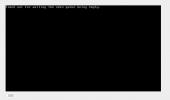
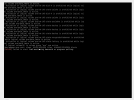
Timed out for waiting for udev queue being empty
- Thread starter elipso
- Start date
You are using an out of date browser. It may not display this or other websites correctly.
You should upgrade or use an alternative browser.
You should upgrade or use an alternative browser.
add
like this :
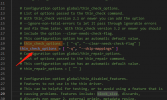
then use
thin_check_options = [ "-q", "--skip-mappings" ] into /etc/lvm/lvm.conf near line 1120 like this :
then use
update-initramfs -u and reboot for try
Last edited:

Hi Wolfboy, i faced the same problem, and your solution worked like a charm.addthin_check_options = [ "-q", "--skip-mappings" ]into /etc/lvm/lvm.conf near line 1120
like this :
View attachment 52231
then useupdate-initramfs -uand reboot for try
Thanks for your contribuiction.
Thanks very much for you solution <3!!addthin_check_options = [ "-q", "--skip-mappings" ]into /etc/lvm/lvm.conf near line 1120
like this :
View attachment 52231
then useupdate-initramfs -uand reboot for try
this saved my day!addthin_check_options = [ "-q", "--skip-mappings" ]into /etc/lvm/lvm.conf near line 1120
like this :
then useupdate-initramfs -uand reboot for try
All hail wolfboy!!!
I'm trying to use this fix but I can't get a successful boot at all, so I had to make the change in the busybox shell.
I was able to do that, BUT update-initramfs does not exist in this environment.
How are you supposed to persist this change in this situation?
I was able to do that, BUT update-initramfs does not exist in this environment.
How are you supposed to persist this change in this situation?
I didn't meet your situation before,may be the lvm.conf is not correct.I'm trying to use this fix but I can't get a successful boot at all, so I had to make the change in the busybox shell.
I was able to do that, BUT update-initramfs does not exist in this environment.
How are you supposed to persist this change in this situation?
But I have a approch,
You neet to get in recovery mode, then mount lvm/pve-root /mnt ,and chroot /mnt
Then do the change back or correct /mnt/etc/lvm/lvm,conf and update-initramfs -u
this is only a approch , more detail need you complate
Thank you very much!addthin_check_options = [ "-q", "--skip-mappings" ]into /etc/lvm/lvm.conf near line 1120
like this :
View attachment 52231
then useupdate-initramfs -uand reboot for try
I had the problem for a very long time. At each reboot I had to ("storage2" is my lvm volume) :addthin_check_options = [ "-q", "--skip-mappings" ]into /etc/lvm/lvm.conf near line 1120
like this :
View attachment 52231
then useupdate-initramfs -uand reboot for try
systemctl stop pvedaemon pvestatd
lvchange -an storage2/storage2_tmeta
lvchange -an storage2/storage2_tdata
lvchange -ay storage2/storage2
wait a few minutes because this command takes times, then:
systemctl start pvedaemon pvestatd
And only then I was able to start my LXC's.
ChatGPT went into lots of (useless) stuff around lvm.conf, pvestatd, lvm2-lvmpolld, lvm2-monitor, but not this one!
Your solution solved everything.