[SOLVED] This site can't be reached - newbee trying to install plex

PjotrBee

New Member
Nov 16, 2025
4
1
3
Hi ALL,
Not the first post on this issue, but I have no solution yet.

I have installed plex in a linux container on my intel nuc using these instructions: https://www.geekbitzone.com/posts/2022/proxmox/plex-lxc/install-plex-in-proxmox-lxc/
All went exactly as described.

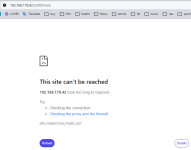
When I try to access Plex in the browser ( https://192.168.178.191/web) I get error message:
This site cannot be reached (ERR_CONNECTION_REFUSED)

In the virtual environment (version 9.0.11) of Proxmox I have created container "101(plex2)" in node "pve" ( Datacenter > pve > 101(plex2) )

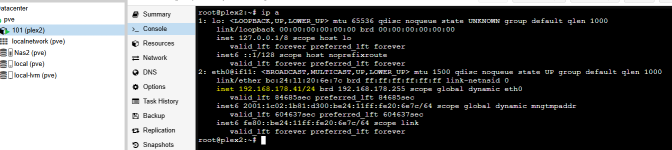
In this container I can open the console screen and run the command "ip a" :

1763406324897.png

From my laptop I can ping to the container (192.168.178.191) .
In the container console screen I can ping to my router (192.168.178.1) .
So the network seems ok.

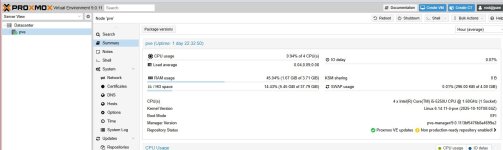
Proxmox summery shows following: status = running ; ha state = none ; Node = pve ; Unprivileged = No ; ...
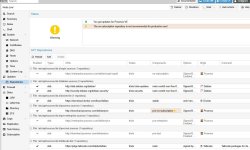
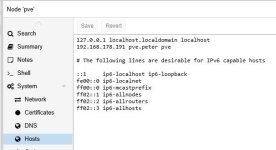
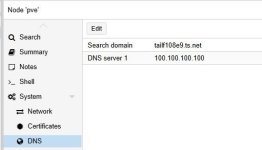
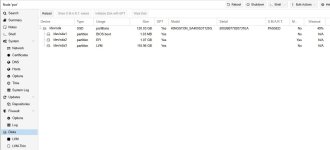
In attachments see screenshots of all settings.

Where do I start looking for a solution ?
 

Attachments
  • summary.JPG
    summary.JPG
    88.5 KB · Views: 5
  • repositories.JPG
    repositories.JPG
    148 KB · Views: 5
  • network.JPG
    network.JPG
    36.8 KB · Views: 4
  • hosts.JPG
    hosts.JPG
    28.9 KB · Views: 4
  • dns.JPG
    dns.JPG
    14.9 KB · Views: 4
  • disks.JPG
    disks.JPG
    55.8 KB · Views: 4
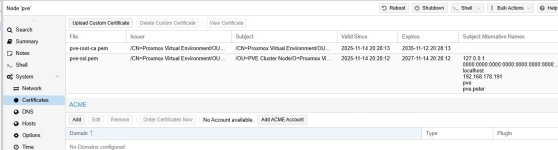
  • certificates.JPG
    certificates.JPG
    63.9 KB · Views: 4
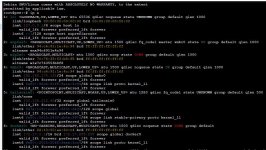
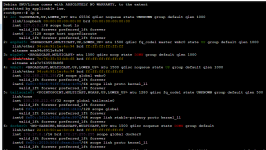
  • ip-a.JPG
    ip-a.JPG
    152 KB · Views: 4
  • 1763406266868.png
    1763406266868.png
    110.7 KB · Views: 5
Last edited:
Hi @PjotrBee , welcome to the forum

I am not familiar with this particular container and what it is expected to expose. That said, there are more steps for you to isolate the issue.
- Are you sure that https is exposed not http ? Have you tried http ?
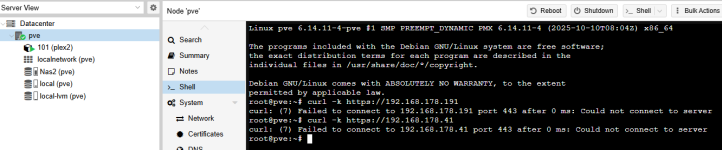
- Are you sure that the application is running? Inside the container, have you tried "curl -k https://192.168.178.191"
- Are you able to run the above curl command from PVE shell?
- Do you have firewalls enabled that may be blocking the connectivity?


Blockbridge : Ultra low latency all-NVME shared storage for Proxmox - https://www.blockbridge.com/proxmox
 
All your images appear to show the IP address of 192.168.178.191 for vmbr0. That is likely the IP of the host node - not the LXC.
You need to enter the console of the LXC & from there check it's IP address.
 
Hi guys, thanks for the support !

Indeed I was mixing up the IP of the node and the lxc. (192.168.178.191 vs 192.168.178.41)
But also I had to to a "pve-firewall stop" in the node console.
After that the insecure command http://192.168.178.41/web to work. The Plex sign in form showed finally!

Although I must say that the curl -k command keeps failing. So I might run into other issues I gues...

But thanks for putting me on the right track!

Grtz,
Peter
 

Attachments

  • 1763809122560.png
    1763809122560.png
    68.4 KB · Views: 3
  • 1763809297538.png
    1763809297538.png
    32 KB · Views: 3
  • 1763809632949.png
    1763809632949.png
    64.7 KB · Views: 3
  • Like
Reactions: gfngfn256
If testing the node host (PVE) web page you need to add the port number, which is 8006 by default, so in your case this would probably be:
Code:
curl -k https://192.168.178.191:8006
For the plex server, I have no experience, but searching on the web looks like it is on 32400, so in your case this would be:
Code:
curl -k https://192.168.178.41:32400


It looks like your issue is solved.
So maybe mark this thread as Solved. At the top of the thread, choose the Edit thread button, then from the (no prefix) dropdown choose Solved.

Happy Proxmoxing!
 
If testing the node host (PVE) web page you need to add the port number, which is 8006 by default, so in your case this would probably be:
Code:
curl -k https://192.168.178.191:8006
For the plex server, I have no experience, but searching on the web looks like it is on 32400, so in your case this would be:
Code:
curl -k https://192.168.178.41:32400


It looks like your issue is solved.
So maybe mark this thread as Solved. At the top of the thread, choose the Edit thread button, then from the (no prefix) dropdown choose Solved.

Happy Proxmoxing!
Thanks for helping out!
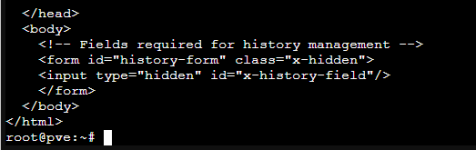
When running the CURL -K in the pve node I get this result:
1763891400283.png
......
1763891431021.png
So a full html page.

When running CURL -K in the lxc i get this:
1763891206176.png

As for the lxc result i am not sure if it is what is expected.
 

Attachments

  • 1763890881264.png
    1763890881264.png
    19.9 KB · Views: 1
  • 1763891030433.png
    1763891030433.png
    26.3 KB · Views: 2
I don't see any problem from the given output. Just test the plex LXC by accessing from a browser on the same NW.

Something that appears to have confused you slightly: You should be able to test those curl commands from any client connected on the same NW that has access to the PVE host/LXC. So you could test for the LXC also from the host node etc.