

Testing Proxmox VE on Ampere Altra Max (Armv8)

I installed Proxmox VE 9 for Arm64 on my Ampere Altra Max Developer Platform this morning - video is up here: https://www.youtube.com/watch?v=Lg263L1W97w

The install was fine, but when I tried creating my first VM, using the Ubuntu 24.04.1 live server ISO I normally install on the bare metal system, it would just 'poweroff' during the console install wizard at a couple different points (the first one was after confirming the disk information, the second one was after entering my Ubuntu account information). This was all done via the Console in my browser (Safari).
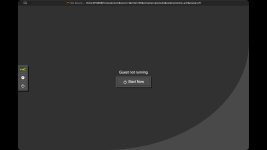
video_frame 2026-08-05 at 11.18.42 AM.jpg
I was told in the announcement thread to create a new issue to track this; the Ampere Altra / Altra Max is an Armv8 platform, so official support is 'best effort', I understand that. But there are a good number of these systems out in the wild, with tons of CPU cores and RAM. Would be awesome to get them easy to use on Proxmox :)
 
Can you post your vm config please? qm config <vmid> should output it. pvereport is another handy cli tool for getting troubleshooting information together with journalctl. Although I guess I don't need to tell the author of "Devops with ansible" how to use journalctl though ;)

Did you try to launch lxc containers? It would be interesting whether at least they work (although their usecase is more limited than vms).
 
@geerlingguy Watching the video, something that jumped out at me in the VM guest's settings was the unusual value for the memory. Is "33356" used for any particular reason? I'm guessing it shouldn't make any difference, but maybe try with the more standard "32768" just to see?

The only other potentially unusual thing was choosing SATA as the drive type rather than virtio. Pretty sure virtio drivers have been included in the Ubuntu images for years, so maybe try that code path? ie see if it's less crashy
 
  • Like
Reactions: Johannes S
I replicated the issue with KVM crashing sporadically and have a core dump that points to libpixman. This looks like the bug I fixed last year: https://gitlab.freedesktop.org/pixman/pixman/-/merge_requests/148

The fix didn't get included in Debian Trixie (13), but will be available in Forky (14). The newer apt package doesn't have any breaking dependencies, so I was able to workaround the problem by installing Forky's libpixman-1-0 on Proxmox arm.

Code:
wget http://ftp.us.debian.org/debian/pool/main/p/pixman/libpixman-1-0_0.46.4-1+b2_arm64.deb
apt install ./libpixman-1-0_0.46.4-1+b2_arm64.deb

The system I replicated this problem on today is a Pinebook Pro, but I know I was affected on an Ampere eMAG back when I made the pixman patch.
Code:
                Stack trace of thread 7343:
                #0  0x0000ffcd817b6600 n/a (libpixman-1.so.0 + 0x66600)
                #1  0x0000ffcd817af800 n/a (libpixman-1.so.0 + 0x5f800)
                #2  0x0000ffcd817918a0 n/a (libpixman-1.so.0 + 0x418a0)
                #3  0x0000ffcd8175afb0 pixman_blt (libpixman-1.so.0 + 0xafb0)
                #4  0x0000ffcd807b5df8 n/a (libspice-server.so.1 + 0x85df8)
                #5  0x0000ffcd8078c6b4 n/a (libspice-server.so.1 + 0x5c6b4)
                #6  0x0000ffcd8078fa54 n/a (libspice-server.so.1 + 0x5fa54)
                #7  0x0000ffcd80751cc0 n/a (libspice-server.so.1 + 0x21cc0)
                #8  0x0000ffcd80751efc n/a (libspice-server.so.1 + 0x21efc)
                #9  0x0000ffcd807534e0 n/a (libspice-server.so.1 + 0x234e0)
                #10 0x0000ffcd807834b0 n/a (libspice-server.so.1 + 0x534b0)
                #11 0x0000ffcd80783648 n/a (libspice-server.so.1 + 0x53648)
                #12 0x0000ffcd80ffe434 n/a (libglib-2.0.so.0 + 0x5e434)
                #13 0x0000ffcd810008fc n/a (libglib-2.0.so.0 + 0x608fc)
                #14 0x0000ffcd81001504 g_main_loop_run (libglib-2.0.so.0 + 0x61504)
                #15 0x0000ffcd807827e4 n/a (libspice-server.so.1 + 0x527e4)
                #16 0x0000ffcd7eba5f38 n/a (libc.so.6 + 0x85f38)
                #17 0x0000ffcd7ec0de9c n/a (libc.so.6 + 0xede9c)
 
  • Like
Reactions: paradox55
I replicated the issue with KVM crashing sporadically and have a core dump that points to libpixman. This looks like the bug I fixed last year: https://gitlab.freedesktop.org/pixman/pixman/-/merge_requests/148

The fix didn't get included in Debian Trixie (13), but will be available in Forky (14). The newer apt package doesn't have any breaking dependencies, so I was able to workaround the problem by installing Forky's libpixman-1-0 on Proxmox arm.

Code:
wget http://ftp.us.debian.org/debian/pool/main/p/pixman/libpixman-1-0_0.46.4-1+b2_arm64.deb
apt install ./libpixman-1-0_0.46.4-1+b2_arm64.deb

The system I replicated this problem on today is a Pinebook Pro, but I know I was affected on an Ampere eMAG back when I made the pixman patch.
Code:
                Stack trace of thread 7343:
                #0  0x0000ffcd817b6600 n/a (libpixman-1.so.0 + 0x66600)
                #1  0x0000ffcd817af800 n/a (libpixman-1.so.0 + 0x5f800)
                #2  0x0000ffcd817918a0 n/a (libpixman-1.so.0 + 0x418a0)
                #3  0x0000ffcd8175afb0 pixman_blt (libpixman-1.so.0 + 0xafb0)
                #4  0x0000ffcd807b5df8 n/a (libspice-server.so.1 + 0x85df8)
                #5  0x0000ffcd8078c6b4 n/a (libspice-server.so.1 + 0x5c6b4)
                #6  0x0000ffcd8078fa54 n/a (libspice-server.so.1 + 0x5fa54)
                #7  0x0000ffcd80751cc0 n/a (libspice-server.so.1 + 0x21cc0)
                #8  0x0000ffcd80751efc n/a (libspice-server.so.1 + 0x21efc)
                #9  0x0000ffcd807534e0 n/a (libspice-server.so.1 + 0x234e0)
                #10 0x0000ffcd807834b0 n/a (libspice-server.so.1 + 0x534b0)
                #11 0x0000ffcd80783648 n/a (libspice-server.so.1 + 0x53648)
                #12 0x0000ffcd80ffe434 n/a (libglib-2.0.so.0 + 0x5e434)
                #13 0x0000ffcd810008fc n/a (libglib-2.0.so.0 + 0x608fc)
                #14 0x0000ffcd81001504 g_main_loop_run (libglib-2.0.so.0 + 0x61504)
                #15 0x0000ffcd807827e4 n/a (libspice-server.so.1 + 0x527e4)
                #16 0x0000ffcd7eba5f38 n/a (libc.so.6 + 0x85f38)
                #17 0x0000ffcd7ec0de9c n/a (libc.so.6 + 0xede9c)

Thanks for this. It appears from preliminary testing to fix my problem.
 
I installed Proxmox VE 9 for Arm64 on my Ampere Altra Max Developer Platform this morning - video is up here: https://www.youtube.com/watch?v=Lg263L1W97w

The install was fine, but when I tried creating my first VM, using the Ubuntu 24.04.1 live server ISO I normally install on the bare metal system, it would just 'poweroff' during the console install wizard at a couple different points (the first one was after confirming the disk information, the second one was after entering my Ubuntu account information). This was all done via the Console in my browser (Safari).

View attachment 99305
I was told in the announcement thread to create a new issue to track this; the Ampere Altra / Altra Max is an Armv8 platform, so official support is 'best effort', I understand that. But there are a good number of these systems out in the wild, with tons of CPU cores and RAM. Would be awesome to get them easy to use on Proxmox :)
Great write-up. It’s encouraging to see Proxmox VE 9 being tested on Ampere Altra Max, especially given the amount of CPU and memory these ARM systems can provide.

The VM poweroff during the Ubuntu installation is particularly interesting. Since it happens at different stages of the installer, I’d be curious whether the behavior changes with a different Ubuntu ARM64 image or with different VM settings such as CPU type, machine type, or disk controller.

It might also be useful to check the Proxmox task log and kernel/journal logs immediately after the VM powers off. If there’s a QEMU crash, kernel message, or hardware-related error, that could help narrow down whether the issue is specific to the installer or to virtualization on this ARMv8 platform.

Hopefully the testing helps improve ARM support. Having a straightforward Proxmox experience on Altra/Altra Max would definitely make these high-core-count ARM systems more useful for homelabs and development environments.