Stuck on boot after house moving

Rhedynen

New Member
Oct 4, 2023
8
0
1
France
Hello there !

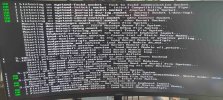
I recently moved to a new flat, and today I tried to restart my pve server but I got stuck on boot :
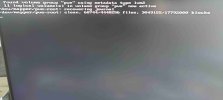
boot1.jpg

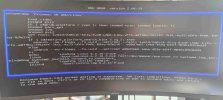
As mentionned on this thread I tried to remove the `quiet` boot option and set `amd_iommu` to off as follow :
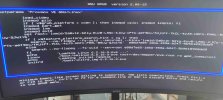
boot2.jpg

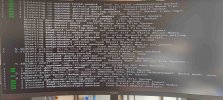
But nothing seemed to help in the second boot log :
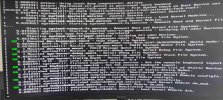
boot3.jpg

Finally I also deactivated CPU virtualization and IOMMU in my BIOS but I have the same result as above ...


Does anybody has ideas or suggestions ?
 
Last edited:
You mean replug it ? Yeah i tried but same result

Also my CPU doesn't have integrated graphics, so I can't boot on it
 
I moved my video card to the other PCIe port of my motherboard and boot again (with CPU virt and IOMMU disabled and boot option quiet and amd_iommu removed)

The boot log is still stuck, the last entry is :
Code:
[   OK   ] mounted dev-mqueue.mount - POSIX Message Queue File System.
I still can't see any error above
 
Can you describe your setup a bit more detailed ?
 
You can try adding systemd.log_level=debug to the kernel command line to get some more log messages.
 
Yes sorry, I should have begun with that

Hardware :
  • ASRock B550M PG Riptide
  • Ryzen 5 5500 (no integrated graphics)
  • 32Go GSkill DDR4
  • Gigabyte GeForce GTX 1080
  • Storage :
    • Crucial P3 500Go M.2 (Proxmox is installed on a partition on it)
    • 2 IronWolf 2To used in RAID

And I have several VMs :
  • 1 Home Assistant
  • 1 TrueNAS
  • 1 Windows (The graphic card is in passthrough for this one)
  • 1 headless Linux
 
The output does not look any more useful than the last. Try running with this kernel parameter:systemd.journald.forward_to_console=1
 
You could try to boot a live-image to check if the problem is hardware related, if not maybe one can see some problems in the logfiles after a succeeded boot
 
I managed to boot on a Debian ISO with the graphical rescue mode

I stopped at the selection of root file system screen listing all my partitions, as I'm not sure where to look for those logs