I am a little lost on how to setup a SSL for the GUI. My users are getting confused because it says its not secure. I was looking for a way to get the CSR but I dont see where that is.


SSL Help
- Thread starter smith13045
- Start date
You are using an out of date browser. It may not display this or other websites correctly.
You should upgrade or use an alternative browser.
You should upgrade or use an alternative browser.

Where are your users seeing that it's not secure?I am a little lost on how to setup a SSL for the GUI. My users are getting confused because it says its not secure. I was looking for a way to get the CSR but I dont see where that is.
else - check the reference documentation on TLS and Certificates:
https://pmg.proxmox.com/pmg-docs/pmg-admin-guide.html#sysadmin_certificate_management
https://pmg.proxmox.com/pmg-docs/pmg-admin-guide.html#_mail_proxy_configuration (section 4.7.9)
I hope this helps!
Where are your users seeing that it's not secure?
else - check the reference documentation on TLS and Certificates:
https://pmg.proxmox.com/pmg-docs/pmg-admin-guide.html#sysadmin_certificate_management
https://pmg.proxmox.com/pmg-docs/pmg-admin-guide.html#_mail_proxy_configuration (section 4.7.9)
I hope this helps!
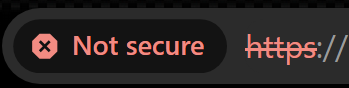
In the browser
ok - that's the api-certificate in the docs - and PMG has the option to create one with Let's Encrypt (see the link to the certificate management docs), or you can create one with an external CA and upload that (also explained there)In the browser
So how do I troubleshoot this?
Code:
TASK ERROR: validating challenge 'https://acme-v02.api.letsencrypt.org/acme/authz-v3/426452540897' failed - status: invalid,which plugin did you configure - if it's the http-01 standalone challenge then make sure that port 80 or the public ip pointing to your PMG is open and that you have no other process listening there ...So how do I troubleshoot this?
if it's a dns-based plugin make sure that you have configured it correctly according to the documentation of your DNS provider ...
In general ACME and troubleshooting it is quite well explained on the Internet.