Hi there,
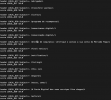
I have hundreds of SpamAssassin custom rules on the file /etc/mail/spamassassin/custom.cf (see the attached picture). It is being used to filter the header (subject) but it is not adding the scores or matching the strings anymore.
I'm using the latest PMG (proxmox-mailgateway: 6.4-1 (API: 6.4-3/225ecb80, running kernel: 5.4.106-1-pve).
Do you guys think that is due the upgrade from 6.3 to 6.4? Are the SpamAssassin paths the same of before or now we have new files doing that?
Thank you so much for your help.
I have hundreds of SpamAssassin custom rules on the file /etc/mail/spamassassin/custom.cf (see the attached picture). It is being used to filter the header (subject) but it is not adding the scores or matching the strings anymore.
I'm using the latest PMG (proxmox-mailgateway: 6.4-1 (API: 6.4-3/225ecb80, running kernel: 5.4.106-1-pve).
Do you guys think that is due the upgrade from 6.3 to 6.4? Are the SpamAssassin paths the same of before or now we have new files doing that?
Thank you so much for your help.