

SOLVED - HELP - only boots to maintenance

racs

Renowned Member
Oct 14, 2015
13
0
66
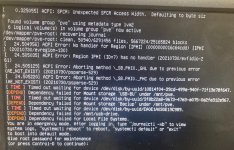
Hopefully the attached picture offers the details you need to help me figure this out.

Recovering journal... Maybe the file system is corrupted.

Also, I installed USB HDDs but they are no longer available. How do I remove the commands to mount them etc.?

Thank you!
 

Attachments
  • IMG_9389.JPG
    IMG_9389.JPG
    524.2 KB · Views: 11
Last edited:
Log in/continue boot and then check cat /etc/fstab and node > Disks > Directory in the GUI. Seems like these are PVE managed storages which are based on a mount unit. If possible I'd remove them in the GUI.
 
  • Like
Reactions: racs
Log in/continue boot and then check cat /etc/fstab and node > Disks > Directory in the GUI. Seems like these are PVE managed storages which are based on a mount unit. If possible I'd remove them in the GUI.
Thank you! That did the trick. I used nano to edit fstab to comment out
"/dev/disk/by-uuid/EA0E1A030E19C989 /mnt/usb-drive ntfs defaults 0"

She is up and running again. I appreciate your help.
 
For external drives it might make sense to add the nofail option in the future.
I am not sure how to do that. I don't work with proxmox that often. It has been running for a couple years untouched. My BU drive died so needed to add a different one. I tried adding this drive on Monday using shell but it was unsuccessful. The first video I watched gave me the directions. I found a second vide and I ended up being able to add it in Disks successfully and much easier. Then I just created a network folder where I now back up my images.

This proxmox install is on a large DELL rack server and it's much more than we need. I only have two VMs. One is a file server for our teachers and the other is a Ubuntu install with KOHA. They are pretty much problem free till I have to make a change. I am on Virtual Environment 7.4-3. When I first installed it a couple years ago I had to go back a couple version due to the server.