Message:
Hi,
I am having a massive headache with a routed network setup on a Hetzner dedicated server running Proxmox VE 9.2.3. I am running full KVM-based Virtual Machines (VMs), not containers, and I need to assign two separate Failover IPs to them without using NAT. I have been awake for days working on this every single night until morning because I need to get this working. I am incredibly frustrated and absolutely furious about this situation.
Setup details:
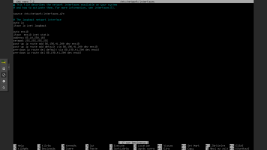
Host: Proxmox VE 9.2.3 (Clean factory-default network config).
Main IP: 88.198.41.200.
VM1 (Debian 12): IP 85.10.250.103/32.
VM2 (FreeBSD 14.4): IP 213.239.249.29/32.
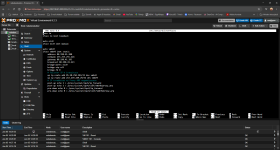
Network: Standard vmbr0 bridge.
Note: I am not using IPv6, only IPv4. No MAC address binding is used.
The issue:
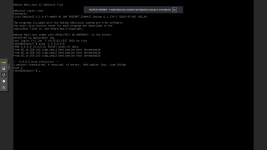
Even with a clean host configuration, the VM IPs are unreachable. Any ping attempt results in "Destination Host Unreachable". I have verified that ip_forward and proxy_arp are currently disabled, and the system is not routing the traffic to the VMs.
Request:
Since I am explicitly looking for a non-NAT solution, I need the complete, step-by-step list of commands and configuration file contents for the Proxmox host, Debian 12, and FreeBSD 14.4 to successfully route these /32 Failover IPs. I need a solution that works on a standard Hetzner environment without MAC binding. I am working on this all night, every night, and I am extremely stressed and angry. I really need a working setup that I can apply immediately to get this over with.
Any help would be incredibly appreciated.
Thanks!
Hi,
I am having a massive headache with a routed network setup on a Hetzner dedicated server running Proxmox VE 9.2.3. I am running full KVM-based Virtual Machines (VMs), not containers, and I need to assign two separate Failover IPs to them without using NAT. I have been awake for days working on this every single night until morning because I need to get this working. I am incredibly frustrated and absolutely furious about this situation.
Setup details:
Host: Proxmox VE 9.2.3 (Clean factory-default network config).
Main IP: 88.198.41.200.
VM1 (Debian 12): IP 85.10.250.103/32.
VM2 (FreeBSD 14.4): IP 213.239.249.29/32.
Network: Standard vmbr0 bridge.
Note: I am not using IPv6, only IPv4. No MAC address binding is used.
The issue:
Even with a clean host configuration, the VM IPs are unreachable. Any ping attempt results in "Destination Host Unreachable". I have verified that ip_forward and proxy_arp are currently disabled, and the system is not routing the traffic to the VMs.
Request:
Since I am explicitly looking for a non-NAT solution, I need the complete, step-by-step list of commands and configuration file contents for the Proxmox host, Debian 12, and FreeBSD 14.4 to successfully route these /32 Failover IPs. I need a solution that works on a standard Hetzner environment without MAC binding. I am working on this all night, every night, and I am extremely stressed and angry. I really need a working setup that I can apply immediately to get this over with.
Any help would be incredibly appreciated.
Thanks!
Last edited: