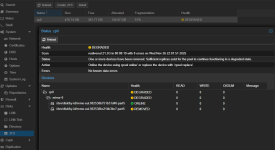
One of two SSDs broke on our server - I did not realize this at first because everything continued to work without problems (server was not under great load, so I did not see any performance drops). Interesting enough, Proxmox did not inform about this breakdown anyhow, I was just checking node settings and realized that ZFS pool is in "DEGRADED" state, and under the details there was log entry that one SSD disk "has been removed" - well turned out that SSD just died.
Anyhow, situation is now fixed on a hardware side: There is a new identical SSD to replace the broken one and after powering server up, new drive was detected by Proxmox.
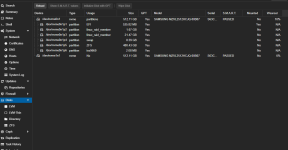
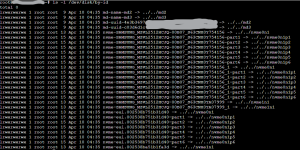
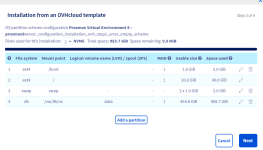
However, I tried to follow the leads how can I actually attach this new drive as RAID member so that Proxmox could use it as it was using the old drive. I was only able to find answers in situations where whole system is installed on ZFS, but in our case only VMs are running from ZFS: Proxmox, swap and boot partitions are just regular ones (see attached images). I know that I can replace ZFS-pool disk with
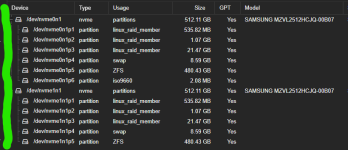
I was only able to "Initialize Disk with GPT" ... no clue how to replace other partitions. As an example, I attached image from other server where there is identical hw/partition structure (marked with green)
Anyhow, situation is now fixed on a hardware side: There is a new identical SSD to replace the broken one and after powering server up, new drive was detected by Proxmox.
However, I tried to follow the leads how can I actually attach this new drive as RAID member so that Proxmox could use it as it was using the old drive. I was only able to find answers in situations where whole system is installed on ZFS, but in our case only VMs are running from ZFS: Proxmox, swap and boot partitions are just regular ones (see attached images). I know that I can replace ZFS-pool disk with
zpool replace -command, but how do I re-create all partitions on a new disk before ZFS-pool replacement?I was only able to "Initialize Disk with GPT" ... no clue how to replace other partitions. As an example, I attached image from other server where there is identical hw/partition structure (marked with green)