Hi,
I am syncing my active directory and am able to sync the users in a group. The settings are these:
User filter: memberOf=CN=VCAdmins,OU=Legacy,OU=Groups,OU=Administrative,OU=Resources,DC=mydomain,DC=com
and
Group filter: sAMAccountName=vcad*
After the sync I see the users from the group were added to the User page under permissions and the group is listed under the groups section
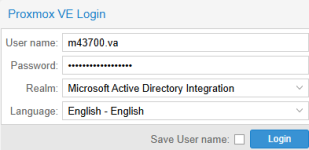
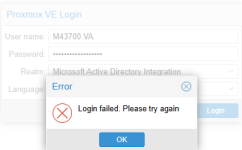
I then add a group permission for that group and try to login with one of the users in that group. But I get "Login failed"
In the logs I see this:
pvedaemon[1835696]: authentication failure; rhost=::ffff:10.145.155.25 user=user@mydomain.com msg=no such user ('user@mydomain.com')
any ideas what I did wrong?
Thanks
Jens
I am syncing my active directory and am able to sync the users in a group. The settings are these:
User filter: memberOf=CN=VCAdmins,OU=Legacy,OU=Groups,OU=Administrative,OU=Resources,DC=mydomain,DC=com
and
Group filter: sAMAccountName=vcad*
After the sync I see the users from the group were added to the User page under permissions and the group is listed under the groups section
I then add a group permission for that group and try to login with one of the users in that group. But I get "Login failed"
In the logs I see this:
pvedaemon[1835696]: authentication failure; rhost=::ffff:10.145.155.25 user=user@mydomain.com msg=no such user ('user@mydomain.com')
any ideas what I did wrong?
Thanks
Jens

 ) you enter/select in the login window.. feel free to censor things, but if you do, do so consistently!
 VCAdmins-domain.com
 VEAdmin: