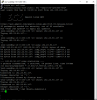
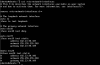
the first time you want to access (either port 22 or port 80) it always fails. After pinging the public IP of the VM, then the server can be accessed (both port 22 and port 80)
This is /etc/network/interfaces on VM
root@ubuntu:~# cat /etc/network/interfaces
# This file describes the network interfaces available on your system
# and how to activate them. For more information, see interfaces(5).
source /etc/network/interfaces.d/*
# The loopback network interface
auto lo
iface lo inet loopback
# The primary network interface
auto ens18
iface ens18 inet dhcp
auto ens19
iface ens19 inet static
address 182.23.90.107
netmask 255.255.255.248
gateway 182.23.90.109
auto ens20
iface ens20 inet static
address 182.23.90.106
netmask 255.255.255.248
gateway 182.23.90.109
This is /etc/network/interfaces on VM
root@ubuntu:~# cat /etc/network/interfaces
# This file describes the network interfaces available on your system
# and how to activate them. For more information, see interfaces(5).
source /etc/network/interfaces.d/*
# The loopback network interface
auto lo
iface lo inet loopback
# The primary network interface
auto ens18
iface ens18 inet dhcp
auto ens19
iface ens19 inet static
address 182.23.90.107
netmask 255.255.255.248
gateway 182.23.90.109
auto ens20
iface ens20 inet static
address 182.23.90.106
netmask 255.255.255.248
gateway 182.23.90.109